
Compaction (idle-gated automation)
Compaction is BMO’s idle-gated background work: automation (rules, jobs, or optional wake paths) checks that the session is quiet enough before enqueueing compaction, so foreground use is not racing background mutation.
This page is only about background stewardship compaction. For the foreground context-window recovery path, see Session Compaction.
flowchart LR
    signal["Automation trigger: rule, job, or nap controller"] --> gate["Idle + dedupe gate"]
    gate -->|deny| telemetry["Telemetry and logs"]
    gate -->|allow| enqueue["Scheduler enqueue"]
    enqueue --> execute["builtin://compaction or recipe target"]
    execute --> telemetry
When to use it
Section titled “When to use it”Use compaction when you want cleanup or follow-on work only after the session looks run-quiet—for example overnight maintenance in a long-lived daemon, signal-driven upkeep that should not interrupt interactive work, or idle-originated background runs while BMO stays up.
Configuration (minimal)
Section titled “Configuration (minimal)”- Define
[options.compaction.reaction_gate](profile,enter_dwell_seconds,repo_slug, etc.). - Use one or more trigger paths: a canonical automation job targeting
builtin://compaction, a canonical rule that enqueues a compaction job, and/or[options.compaction.nap_controller]where appropriate. - Set
compaction_idle_gate = trueon relevantenqueue_jobactions inoptions.automation.rules.
Details and validation rules: Configuration (compaction, compaction_idle_gate).
Built-in path vs custom recipes
Section titled “Built-in path vs custom recipes”BMO includes a built-in compaction target (builtin://compaction) so you do not
need a hand-authored recipe for the common case. Custom recipes remain valid
when you need a different background workflow. The built-in path proposes a
change, validates staged output, and applies your configured change surface
(artifacts-only, local branch, or remote branch / PR when host tooling allows).
For review/quorum behavior, PR promotion, and GitHub CLI usage, see the linked implementation topic below; that level of detail belongs next to the code and tests, not in product overview copy.
Platform posture
Section titled “Platform posture”Host power / “Power Nap”–style wake behavior is macOS-only today. Idle gating and the scheduler are cross-platform; the optional power-observer layer is intentionally narrow until product posture changes.
What you see in the TUI
Section titled “What you see in the TUI”| Surface | Purpose |
|---|---|
/compaction (also Commands palette) | Inspector for recent gate evaluations (allow/deny, rule id, reasons). |
| Status bar | Short Compaction: hint when a recent evaluation denied enqueue. |
| Agent Debugger | Prompt trace segment compaction_reactions when telemetry exists. |
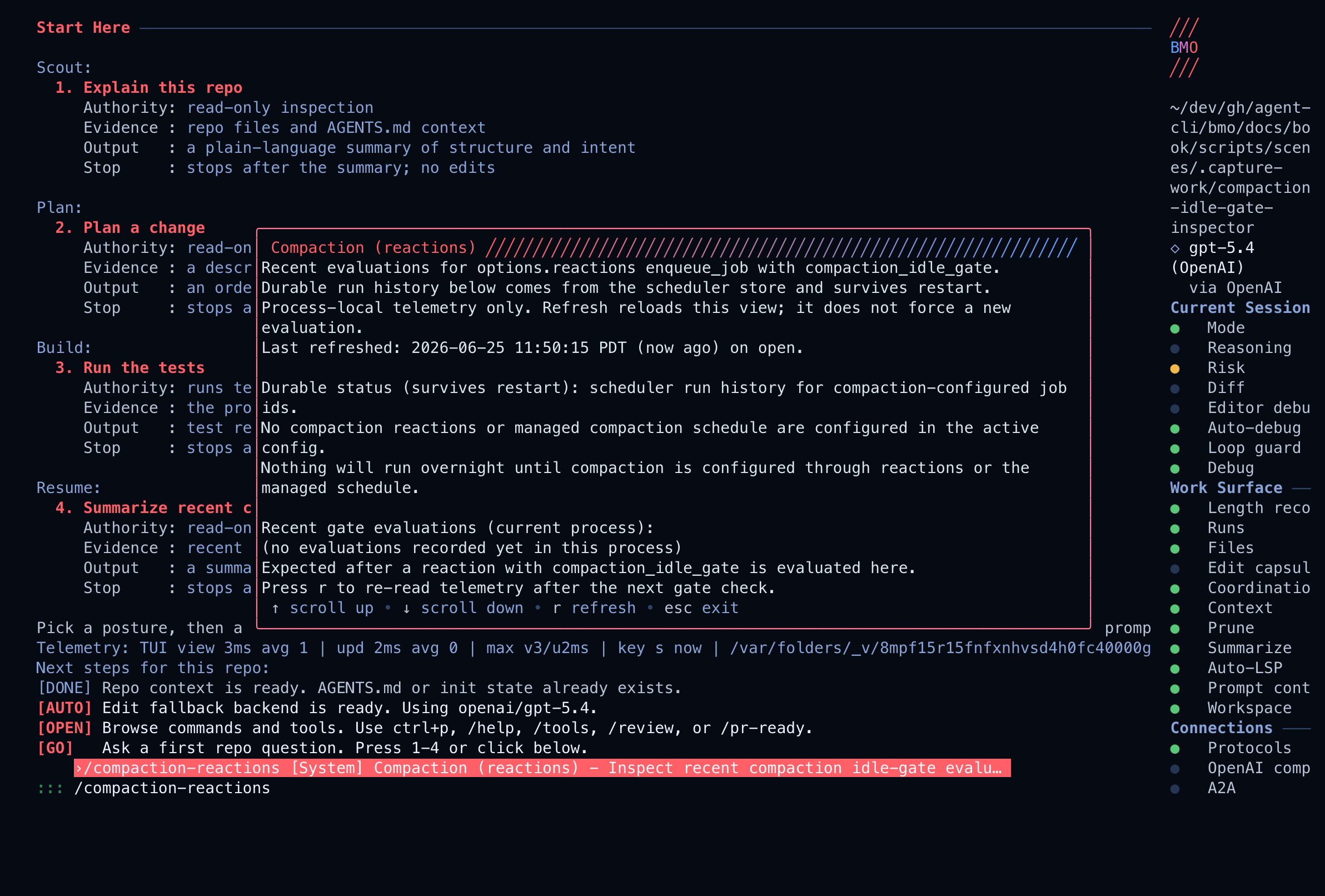
Related: TUI — phases vs activity.
Skipped enqueues log stable reason codes (for example compaction_gate_*). Use
them when correlating denials with automation rules.
Related
Section titled “Related”- Automation & Headless
- Session Compaction
- Workflow map
- Implementation notes: Compaction swarm topic (quorum,
gh, tests, spec links) - Spec draft