
Workspace trail
Workspace trail is a default-on advisory layer of signals that can accumulate across sessions inside the same shared-workspace partition (same data directory / database scope as in How BMO thinks and acts). New sessions can discover soft context such as repeated path-probe truncation, without BMO claiming ground truth on disk.
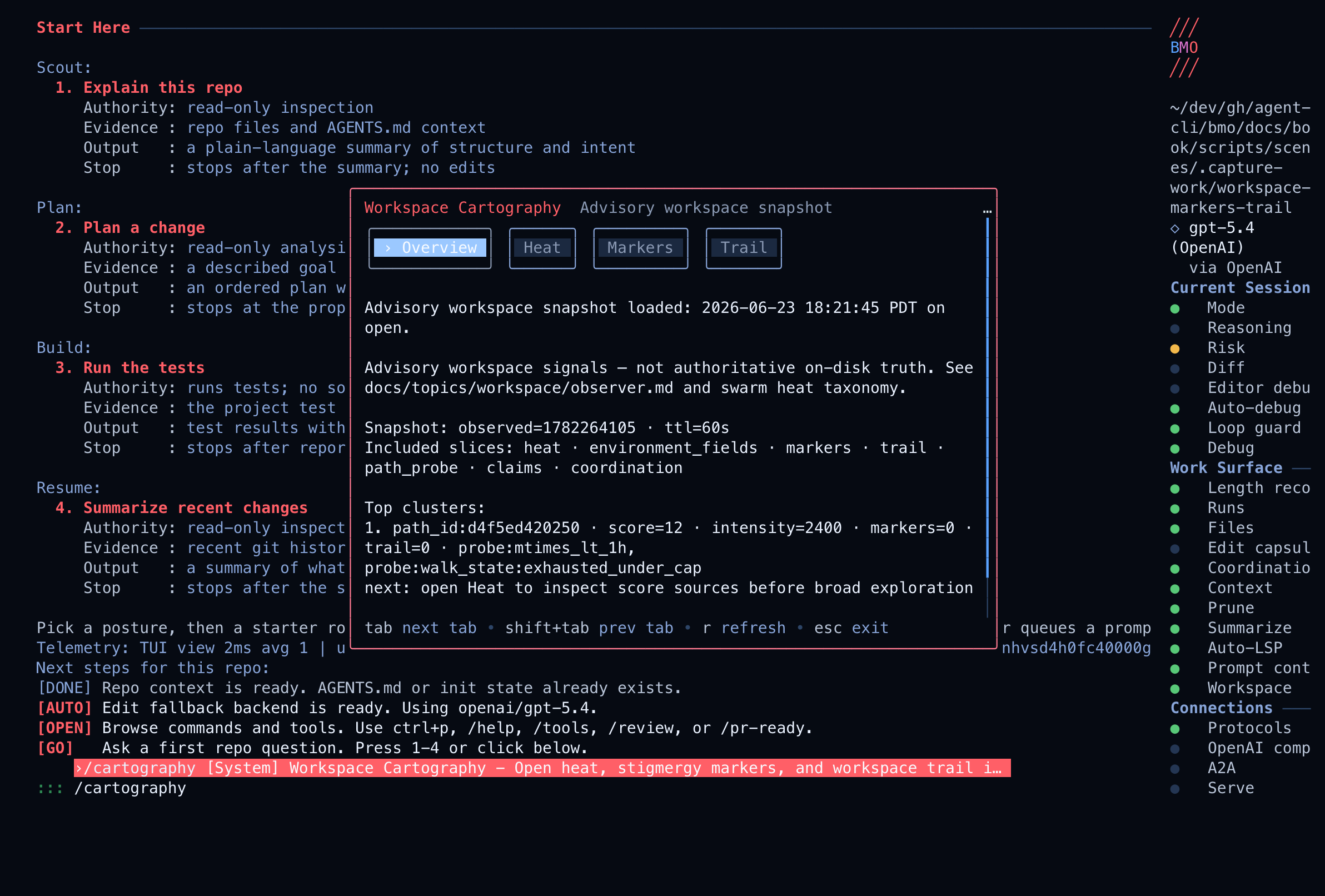
Maturity: Advanced context-memory surface. It helps BMO choose better read targets and handoff context, but current file reads and operator approvals stay authoritative.
What problem this solves
Section titled “What problem this solves”Long-running work often leaves useful traces outside the latest prompt: a risky directory, repeated path-probe truncation, a validation hotspot, or a handoff marker. Workspace trail keeps those bounded hints available to later sessions without replaying raw transcripts or treating old observations as current disk truth.
Use it when
Section titled “Use it when”- You work across multiple BMO sessions in the same workspace.
- You want later runs to notice repeated friction or intentional handoff markers.
- You need compact orientation before reading files in a large repo.
Do not use it when
Section titled “Do not use it when”- You need authoritative filesystem state; read the files and run validation.
- You need an explicit instruction for another agent; leave a marker instead.
- You need cross-tenant or fleet-wide memory; trail is partition scoped.
Markers vs trail
Section titled “Markers vs trail”Markers and trail are related, but they do different jobs.
| Surface | What writes it | What it means | Best use |
|---|---|---|---|
| Markers | Explicit leave_marker calls or marker UI flows | A scoped, intentional sign left for continued work | Handoffs, warnings, hotspots, recovery notes |
| Trail | Enabled system writers such as path-probe or validation summaries | Aggregate advisory signal across sessions | Patterns, repeated friction, soft attention bias |
| Heat | Observer-derived scoring over recent workspace signals | A compact map of where attention may matter | Quick orientation before reading files |
Use markers when a person or agent intentionally leaves a note. Use trail when the system should remember bounded friction without preserving full transcripts or command payloads.
What it is not
Section titled “What it is not”- Not adaptive orchestration or session coordination settings — see Adaptive Orchestration.
- Not mesh learning or invoke ordering — see Agent Mesh.
- Not a fleet-wide shared mind or cross-tenant federation.
What you get by default
Section titled “What you get by default”- SQLite-backed rows keyed by scope and partition, with TTL and caps.
- Writers (when enabled): path-probe sample truncation, and change-contract validation batches where at least one validation command exited non-zero (counts only—no command text in the trail payload).
- A
workspace_trailslice onworkspace_snapshot(and the same JSON onGET /v1/workspace-environment/ MCPbmo_get_workspace_snapshotwhen those surfaces are enabled). - Prometheus counters when
/metricsis active and session SSEworkspace_trail.changedwhen using the HTTP or autopilot service with a session-bound writer.
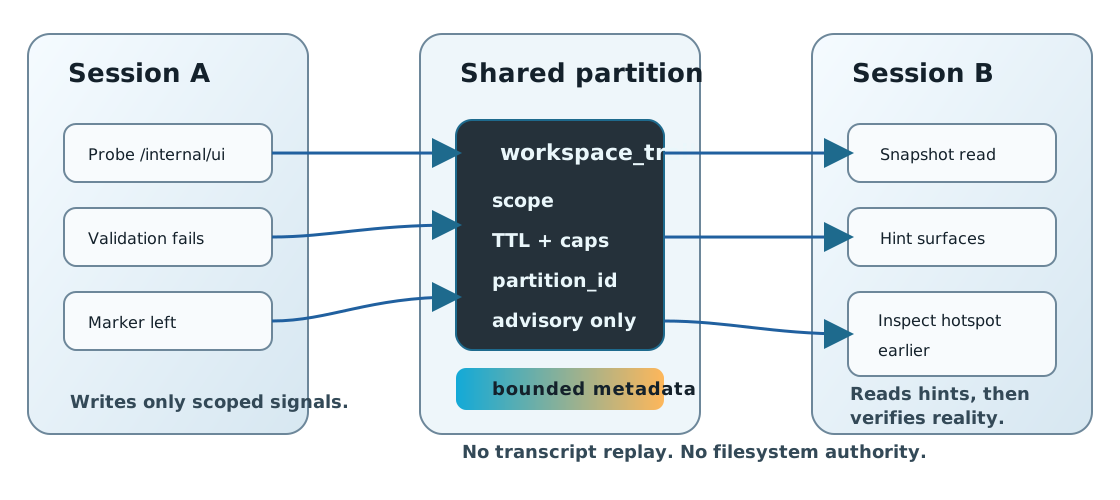
Visual model: indirect handoff across sessions
Section titled “Visual model: indirect handoff across sessions”One run leaves a small, bounded marker in the shared environment; another run notices that marker and steers toward the same hotspot earlier — without sharing a giant hidden memory dump or claiming filesystem truth that no longer exists. This pattern of coordinating through shared environment traces rather than direct messages is called stigmergy.
Visual model: how trail hints change a coding loop
Section titled “Visual model: how trail hints change a coding loop”The loop diagram summarizes how trail hints reorder attention without changing write authority:
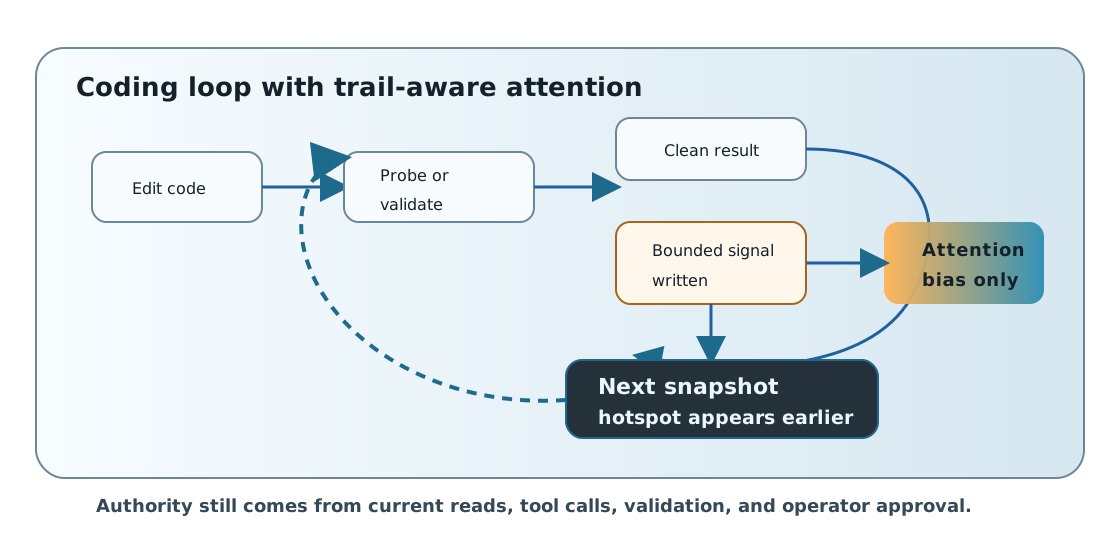
In practice this changes the order of attention more than the authority of the agent. These indirect trail hints (stigmergic signals) bias where BMO looks first, what it summarizes, and which scope feels risky, but the operator still confirms reality through normal reads, tool calls, and validation.
Tuning and partitions
Section titled “Tuning and partitions”Trail reads go through workspace_snapshot; the observer must be enabled,
and trail is on by default. Use TOML to disable it or tune
caps/TTL/partitioning:
[options.workspace_observer]enabled = true
[options.workspace_trail]# enabled = false
# Optional: set partition_id for a stable shared scope. If omitted in local MCP# mode, BMO derives a deterministic user/workspace partition.# [options.workspace_trail]# partition_id = "your-partition"
Optional SSE and throttle:
[options.workspace_trail]# emit_trail_changed_sse = false# trail_changed_sse_min_interval_seconds = 10See the Configuration reference for merge semantics and full fields.
- Does trail overwrite my files? No. It stores bounded metadata in SQLite for advisory hints only.
- Will other tenants see my trail on a shared server? Queries are scoped by
partition_idand scope; isolation is enforced by the runtime and covered by tests. - Where is the full contract? The workspace trail contract covers the threat model, metric names, and event shape.
For contributors: Implementation details and the full contract are in the repository topic
workspace-trail.md.
Factory-shaped behavior
Section titled “Factory-shaped behavior”Workspace trail becomes most useful when combined with Workstreams and Factory Patterns. A workstream gives the task a durable identity, nanites can run bounded background checks, and markers/trail tell new sessions where attention should begin. The key is that these signals remain advisory: they help BMO choose a better read target, but they do not replace current file inspection or operator approval.