
Quality orchestration
Where this fits
Section titled “Where this fits”Quality orchestration is the during-turn API surface in the conversation quality lifecycle. It gathers evidence from multiple candidates on infra and lifecycle routes before the client sees one assistant message.
Changes live output?
Section titled “Changes live output?”Yes — on the OpenAI-compatible API path only. BMO may select or compose a different final answer for infra/lifecycle prompts. TUI chat and most routes stay single-agent.
Reach for it when
Section titled “Reach for it when”You use Open WebUI or another OpenAI-compat client and infra or lifecycle answers sound wrong-source (for example vmalert jargon instead of VictoriaMetrics-grounded metrics), or you need to audit which candidate won a fanout.
Inspect
Section titled “Inspect”| Job | Route | What it shows |
|---|---|---|
| Run metadata | Agent Debugger on a completed API run | orchestration_run_id, candidate_id, judge_decision, final_answer_origin |
| Candidate listing | GET /v1/agent-runs?orchestration_run_id=… | All candidate runs tied to one orchestration turn |
| Local dev stack | task dev:openai-compat:up (Docker) | Prometheus, Grafana, Open WebUI, and BMO wired to observability MCPs for realistic fanout |
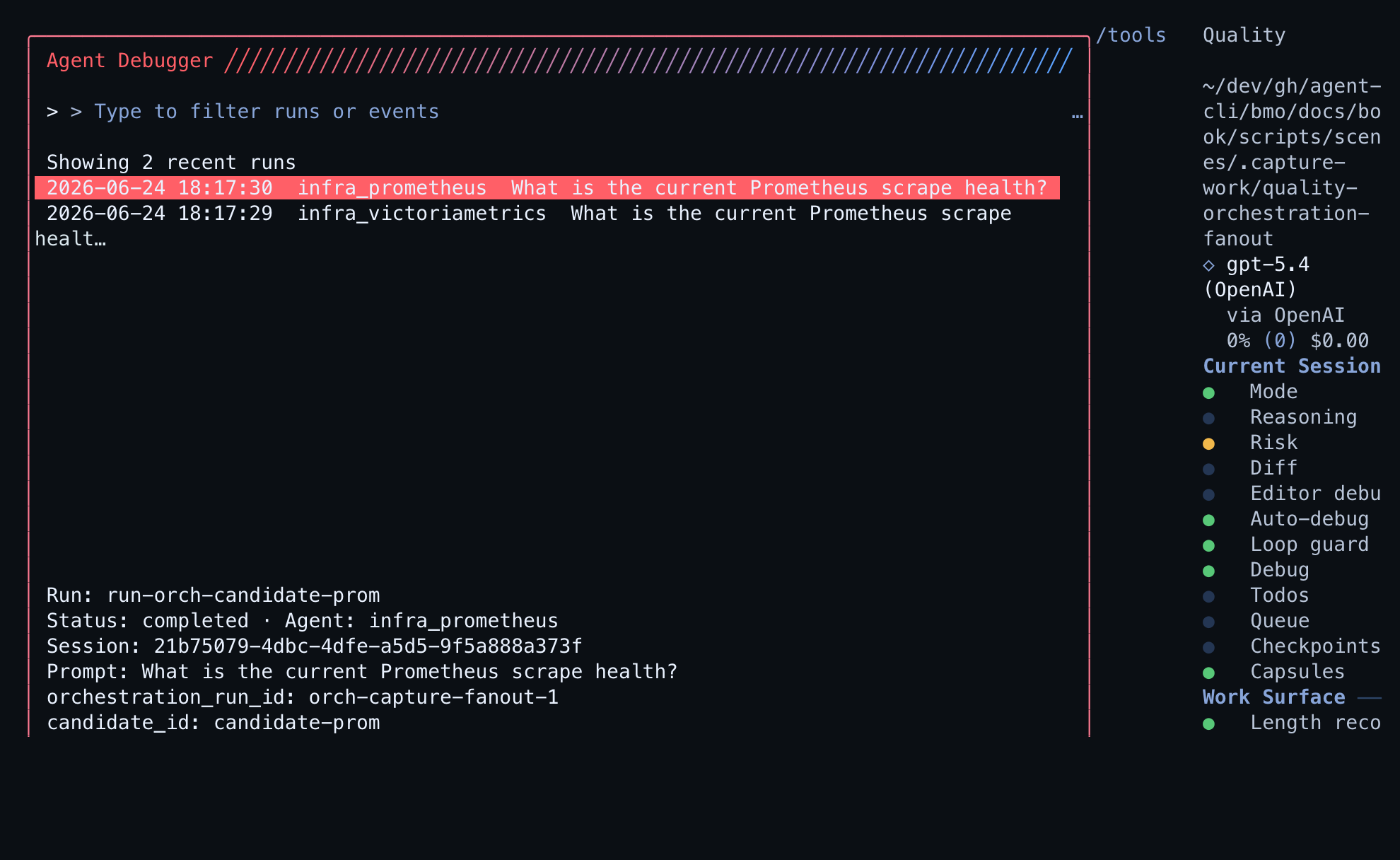
Related quality surfaces
Section titled “Related quality surfaces”- Conversation quality — walkthrough when an infra API answer regresses
- Prompt Stack — jump here before blaming orchestration when segments were shed upstream
- Quality Gates — jump here after a draft when you need post-draft rubric verdicts (orthogonal to fanout)
Deep dive
Section titled “Deep dive”What you get
Section titled “What you get”- Single, improved answer — The API response is still one assistant message. BMO chooses or merges the best candidate answer so clients see a single, coherent reply.
- Source-appropriate content — For example, metric questions are answered from VictoriaMetrics-backed candidates; alert questions from Alertmanager. This reduces wrong-source or backend-internal phrasing (e.g. “vmalert”) in the final answer.
- Correlation when you ask for it — Prompts like “correlate active alerts with recent metric anomalies” trigger a compose path: multiple candidates run and their results are merged into one answer with clear source labels.
No configuration is required beyond the usual Open WebUI and MCP setup. Orchestration runs automatically when the prompt and route call for it.
When orchestration runs
Section titled “When orchestration runs”Orchestration is used only for certain routes and intents:
- Infrastructure (observability) — Metric health, alert state, log signal, dashboard signal, or mixed observability. BMO may run one or more candidates (e.g. VictoriaMetrics, Alertmanager, Loki, Grafana) and select the best answer or compose when you ask for correlation.
- Lifecycle — When both Kargo and Octopus MCPs are configured, lifecycle prompts can use multiple candidates and select the best.
- Other routes — General chat, research, and code stay single-agent; no fanout.
So most turns are unchanged. Orchestration adds quality only where it helps (infra and lifecycle).
Select vs compose
Section titled “Select vs compose”- fanout_select — Run up to a bounded number of candidates, score them, return the best single answer.
- fanout_compose — Run multiple candidates and merge approved outputs with domain labels; used for correlation-style prompts.
Orchestration is non-streaming on the fanout path today: clients receive one final message after candidate judging completes.
Summary
Section titled “Summary”| Audience | Experience |
|---|---|
| Open WebUI / API clients | Same request/response shape; answers are improved automatically for infra and lifecycle when orchestration runs. |
| TUI / debugger users | Can inspect runs, see orchestration metadata, and list candidate runs by orchestration_run_id. |
For configuration and routing details, see Open WebUI and OpenAI-compatible API. For run inspection, see Agent Debugger. Maintainer detail: quality-gates topic — Quality orchestration.