
Session Modes
Session modes are the quick-switch surface for changing BMO’s prompt and runtime posture without editing config. Use them for fast context changes in the TUI within the current session — see Sessions for listing, switching, and branching conversations. For stateful multi-phase workflows, use Choreography.
Built-in modes
Section titled “Built-in modes”/mode code # full implementation mode/mode chat # read-only: no write/edit/bash/mode coordinator # delegation-first lead mode/mode review # read-only: view, search + LSP/mode debug # subset with bash + diagnostics/mode plan # planning: view, search, bash + lighter model/mode sre # incident response, infra, CI/CD, and ops workSwitch modes at any time with /mode [name] or shift+tab. The current mode is
shown in the sidebar.
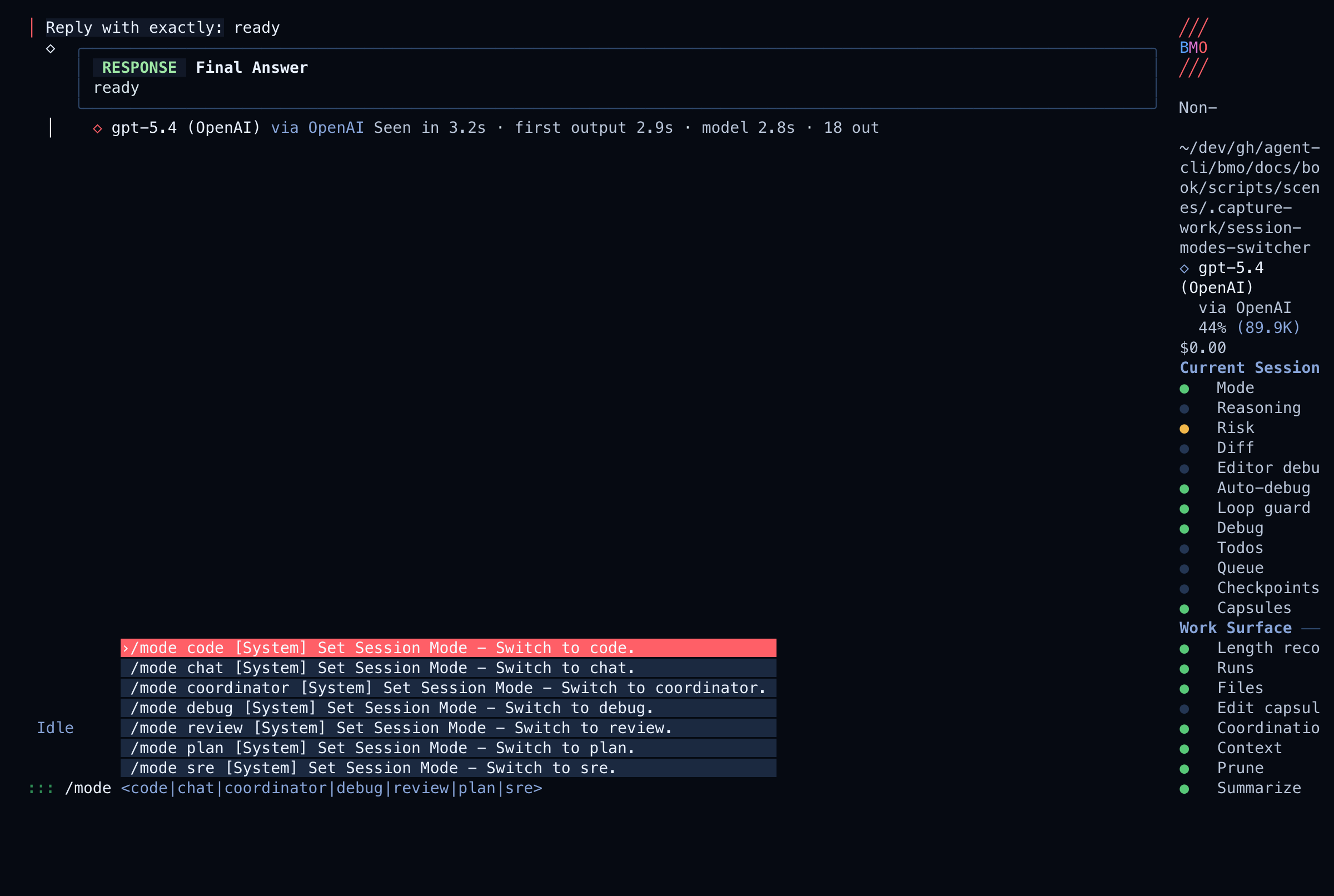
Treat a blocked tool as a real boundary, not a hint to route around. If the user clearly needs a denied capability, switch to the smallest suitable mode and retry the blocked action directly.
The built-in modal choreography exposes the seven modes above and starts in
coordinator by default. Narrower or custom choreographies expose only states
reachable through their command:mode transitions.
What each mode is for
Section titled “What each mode is for”| Mode | Best for |
|---|---|
code | General coding, edits, commands, and day-to-day development |
chat | Read-only Q&A and explaining a codebase without changing files |
coordinator | Delegation-first synthesis and bounded specialist orchestration without direct implementation |
review | Auditing diffs, tracing logic, and doing careful analysis |
debug | Reproducing failures, running commands, and using diagnostics tools |
plan | Producing plans before execution, especially with staged workflow |
sre | Incident response, Terraform/Kubernetes/Helm changes, CI/CD, and infrastructure triage |
/mode with no argument is a read-only status query over the shared
session-mode status family. It reports current mode, reachable modes, deferred
mode-change posture, and the latest bounded autoselect/manual-override fact the
runtime can observe. Providing a mode updates the session’s desired posture and
applies at the next root-run boundary.
For the canonical two-register status family, use
get_session_posture_status or GET /v1/sessions/{id}/posture/status. That
surface exposes the genome-owned desired posture, the choreography-owned
committed state, pending-transition conditions, and session-scoped operator
locks directly.
Use Choreography directly for new configs. It is the only active runtime owner of mode behavior, model overrides, and tool-gate intent.
Choreography: a more powerful alternative
Section titled “Choreography: a more powerful alternative”Session modes remain useful for quick interactive switching, but they are simple and stateless. For multi-phase workflows with automatic transitions, tool gates, prompt shaping, and hooks, use Choreography instead.
Related
Section titled “Related”- Sessions — continuity hub for switching, branching, checkpointing, and resuming conversations.
- Session mode autoselect (eval) —
shadow telemetry and rollups for prompt-aware mode proposals (optional;
separate from manually picking
/mode). - Concept Map — sessions and continuity in the larger docs taxonomy.