
Agent Debugger
Agent Debugger is BMO’s durable timeline surface for agent_runs and
agent_run_events. Use it when chat text is not enough to explain a failure:
you need the ordered evidence — prompt assembly, tool calls, checkpoints, and
terminal status — and sometimes branch-and-continue from a checkpoint-backed
step (session transcript + session-scoped files; not deterministic replay).
Maturity: Maintainer-facing observability. Normal coding rarely starts here; reach for it after a run misbehaves, stalls, or surprises you.
This page walks the operator path in order, using live TUI captures from a real provider turn (not echo fixtures).
Before you open the debugger
Section titled “Before you open the debugger”Runs must exist in the durable ledger. In practice that means:
- Complete at least one turn in the current session (any real model provider).
- Confirm the bounded summary if you want counts and routing first — see Run observability.
- Open
/debuggerwhen you need the full timeline.
The debugger lists the session family: rows where session_id or
parent_session_id matches the parent session, so child spawn runs appear
beside the parent conversation.
Step 1 — Scan the bounded summary (optional)
Section titled “Step 1 — Scan the bounded summary (optional)”/run-observability is the fast read: recent run counts, cue phase, latest
run_id, and pointers to deeper surfaces. It does not replace the debugger;
it tells you whether a deeper drill is worth it.
See the live capture on Run observability.
Step 2 — Open the run list
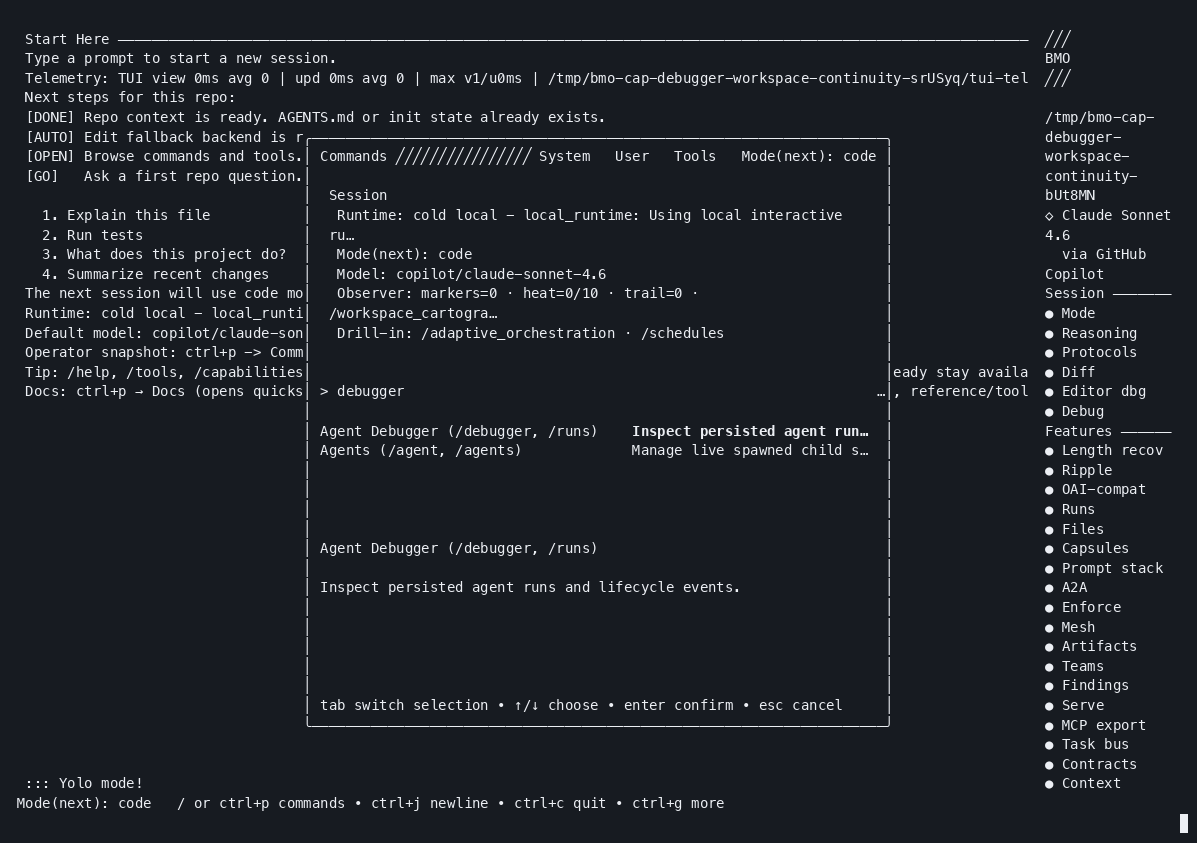
Section titled “Step 2 — Open the run list”In the command picker:
/debuggerAlias: /runs.
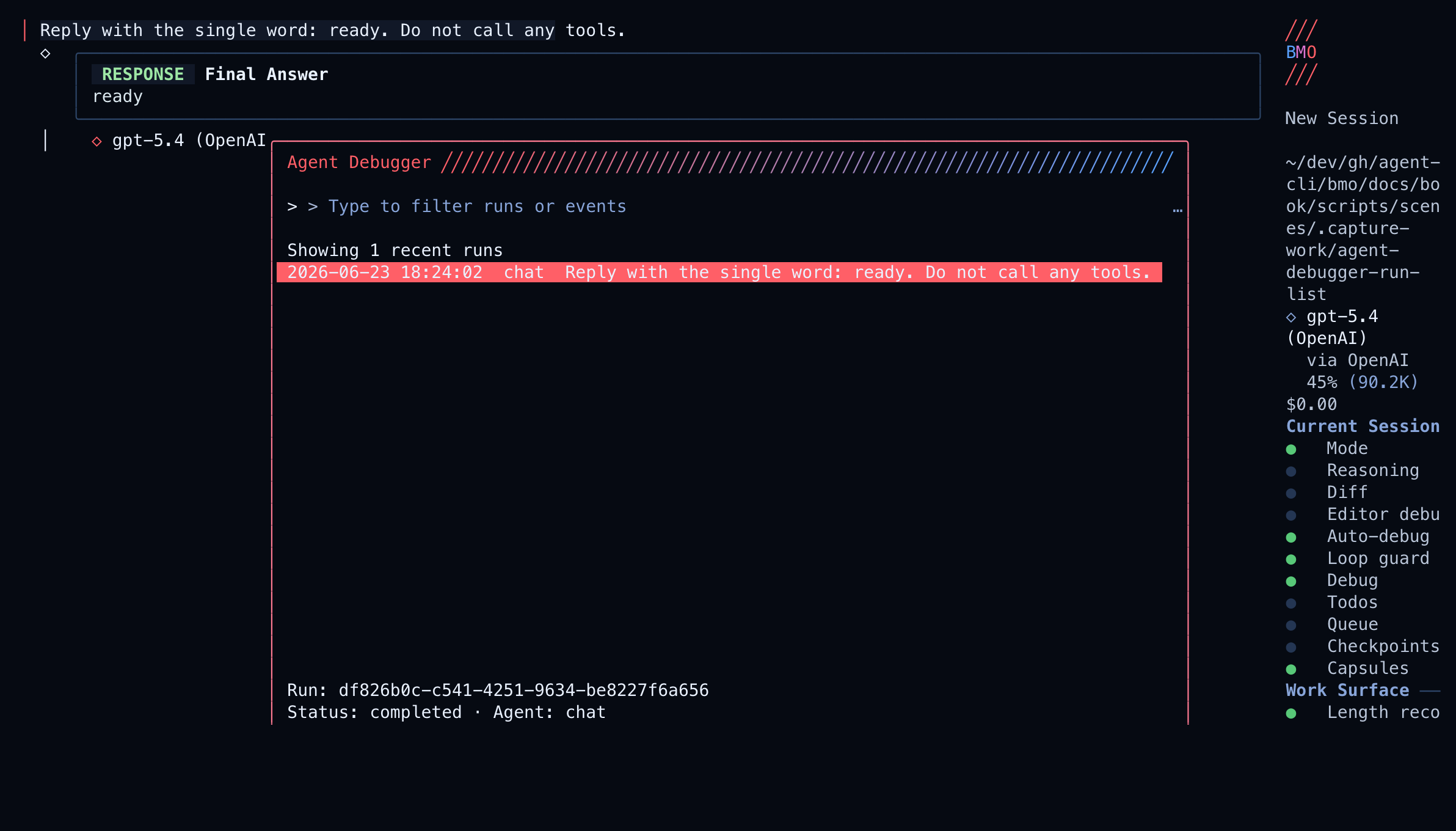
Read the frame like this:
| Region | What it teaches |
|---|---|
| Title Agent Debugger | Modal timeline; not a live stream |
| Filter input | Narrows runs or events once a run is open |
| Run rows | Durable agent_runs for this session family |
| Footer keys | enter open timeline · f branch when checkpoint-backed · esc close |
If the list is empty, the ledger has no rows for this family yet — complete a turn first, or check Run ledger posture.
For the compact “who acts next?” projection, use /cue-ledger (documented on
Run observability).
Step 3 — Walk the event timeline
Section titled “Step 3 — Walk the event timeline”Select a run and press enter. The debugger loads ordered
agent_run_events:
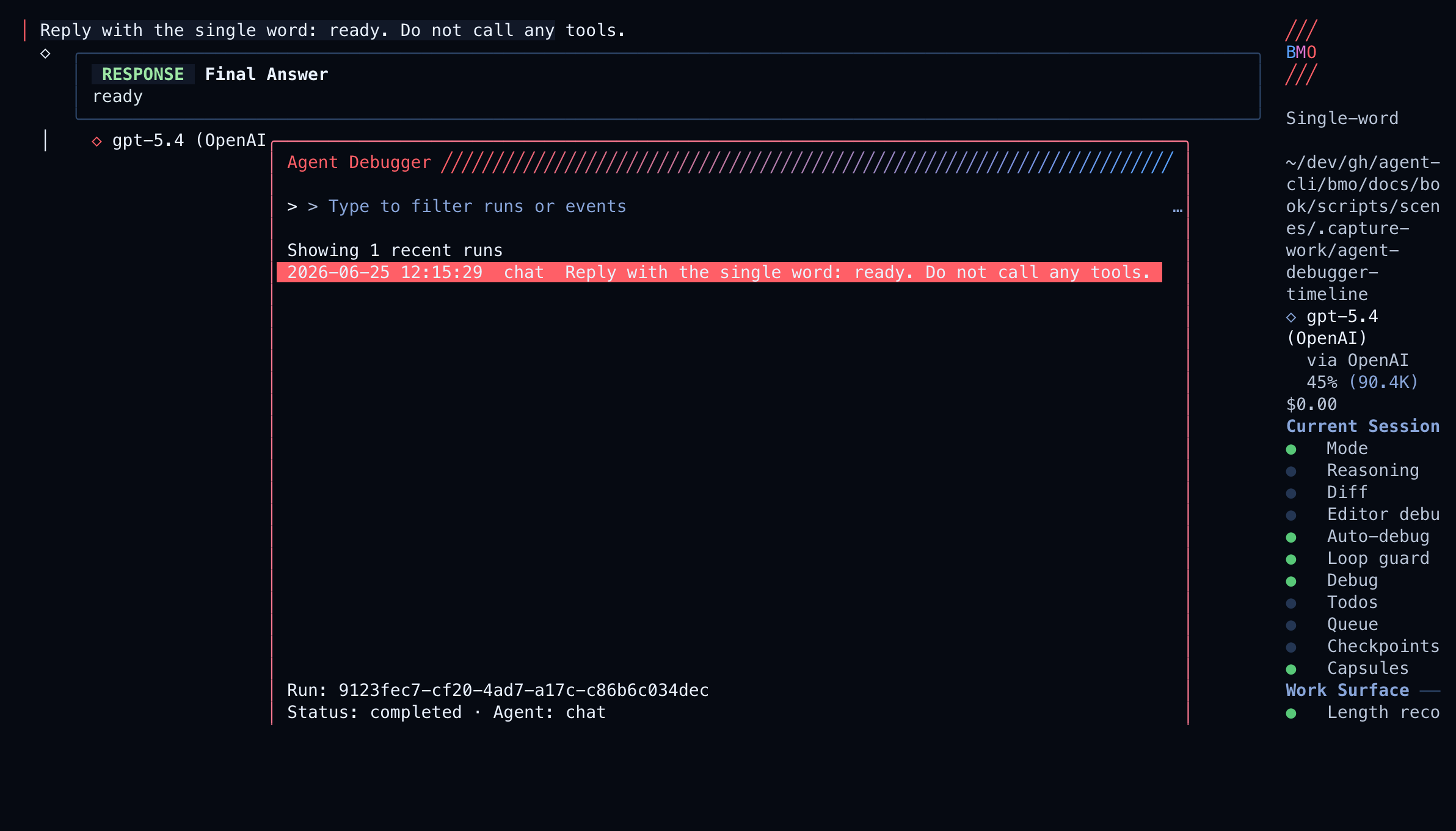
What to look for on the timeline:
| Event kind | Why it matters |
|---|---|
| Prompt / policy assembly | Confirms mode, tools, and gates before the model acted |
| Assistant output | What the model said or planned |
| Tool call / result | First place edits or lookups usually go wrong |
| Checkpoint markers | Steps marked forkable can seed a branch session (f) |
| Terminal status | Where the run actually ended — not where chat stopped |
Press d on supported steps for a bounded diff view. Press ctrl+r to
refresh if the run is still active elsewhere.
Step 4 — Branch-and-continue or recover with continuity
Section titled “Step 4 — Branch-and-continue or recover with continuity”When a step is checkpoint-backed, press f. The debugger shows a confirm
screen with the restore target (checkpoint name, message count, restore step vs
selected step) before creating the branch session. The new session keeps lineage
to the original run. Restore uses the same identity-gated session checkpoint
contract as elsewhere: it rewinds conversation context on the branch when the
retained transcript prefix still matches, refuses instead of mixing generations,
and does not change git working tree or shell side effects.
The recording below shows the fuller story: interruption, timeline evidence, workspace trail context, and a safe resume — the debugger as the sequence layer before recovery.
Bounded snapshot vs full timeline
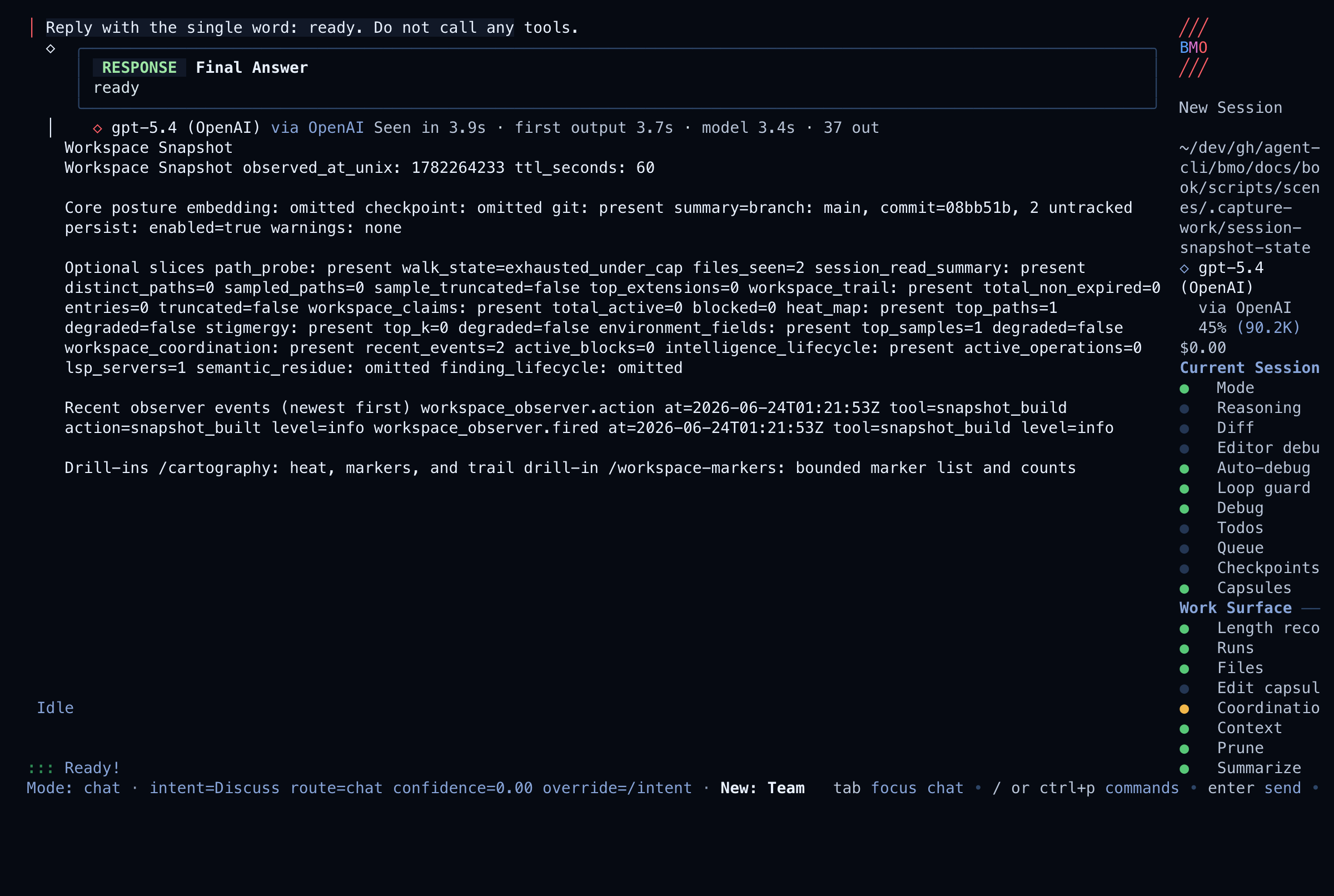
Section titled “Bounded snapshot vs full timeline”/cartography (workspace snapshot) gathers prompt/runtime posture, workspace
diff, checkpoints, and integration health without walking the full run
timeline. Use it when you need “what does the session look like right now?” before
opening a run.
Keyboard controls
Section titled “Keyboard controls”| Key | Action |
|---|---|
up / down | Move through runs or steps |
enter | Open the selected run |
left / backspace | Back to the run list |
ctrl+r | Refresh |
f | Branch-and-continue from a checkpoint-backed step (confirm first) |
d | Diff (when available) |
esc | Close |
What it is not
Section titled “What it is not”The debugger does not provide full terminal recording, token-perfect replay, automatic process rerun, or guaranteed reconstruction of every in-memory transition. The goal is narrower: ordered evidence to debug or branch safely from session checkpoints.
Optional session auto-checkpoint
Section titled “Optional session auto-checkpoint”When agent_debugger.session_auto_checkpoint.enabled is true (default
false), BMO may create session checkpoints after risky tool completions
(edit, write, apply_patch, bash, etc.) on a cadence. This is separate
from workflow.auto_checkpoint (git micro-commits on tool writes).
Programmatic parity
Section titled “Programmatic parity”The same persisted data is available outside the TUI:
| Need | Surface |
|---|---|
| List runs (family scope) | GET /v1/agent-runs?family_session_id=…, list_agent_runs |
| Event timeline | GET /v1/agent-runs/{run_id}/events, get_agent_run_events |
| Bounded session summary | session_observability, Run observability |
| Tool-call-only lens | inspect_run_trace |
| Ledger posture | Run ledger, run_ledger_status |
When the run store is not configured, list/events return empty arrays; single-run GET returns 503.
Topic depth: Agent run ledger, sessions, and lineage —
spawn registry vs durable rows, session_id vs parent_session_id, and which
surfaces use family scope.
Related
Section titled “Related”- Run observability — bounded summary, cue ledger, trace lens
- Run ledger — persistence posture and tracing recipe
- Session observability parity
- Quality Gates — inspect gate decisions on the timeline