
Quality Gates
Where this fits
Section titled “Where this fits”Quality Gates are the after-draft surface in the conversation quality lifecycle. BMO generates a candidate answer (or plan, recipe, or proposal) first; an optional Quality Judge evaluates that draft against evidence and a rubric before the run is finalized.
Changes live output?
Section titled “Changes live output?”Advisory by default. Armed send_back can retry at most once. Quality
Gates are not the prompt enhancer: the enhancer adds context before generation;
Quality Gates evaluate output after a draft exists.
Maturity: Advanced operator and maintainer surface. Use when you need a bounded post-draft or proposal-readiness judgment, not as a replacement for ordinary review or tests.
Reach for it when
Section titled “Reach for it when”Failures are visible only after a draft exists: unsupported claims, weak plan criteria, missing prompt/recipe hardening, or proposal evidence that is not ready for human review.
Inspect
Section titled “Inspect”| Job | Route | What it shows |
|---|---|---|
| Posture (CLI) | bmo config show-quality-gates [--format=json] | Armed surfaces, judge model status, metadata-only recent decision ring |
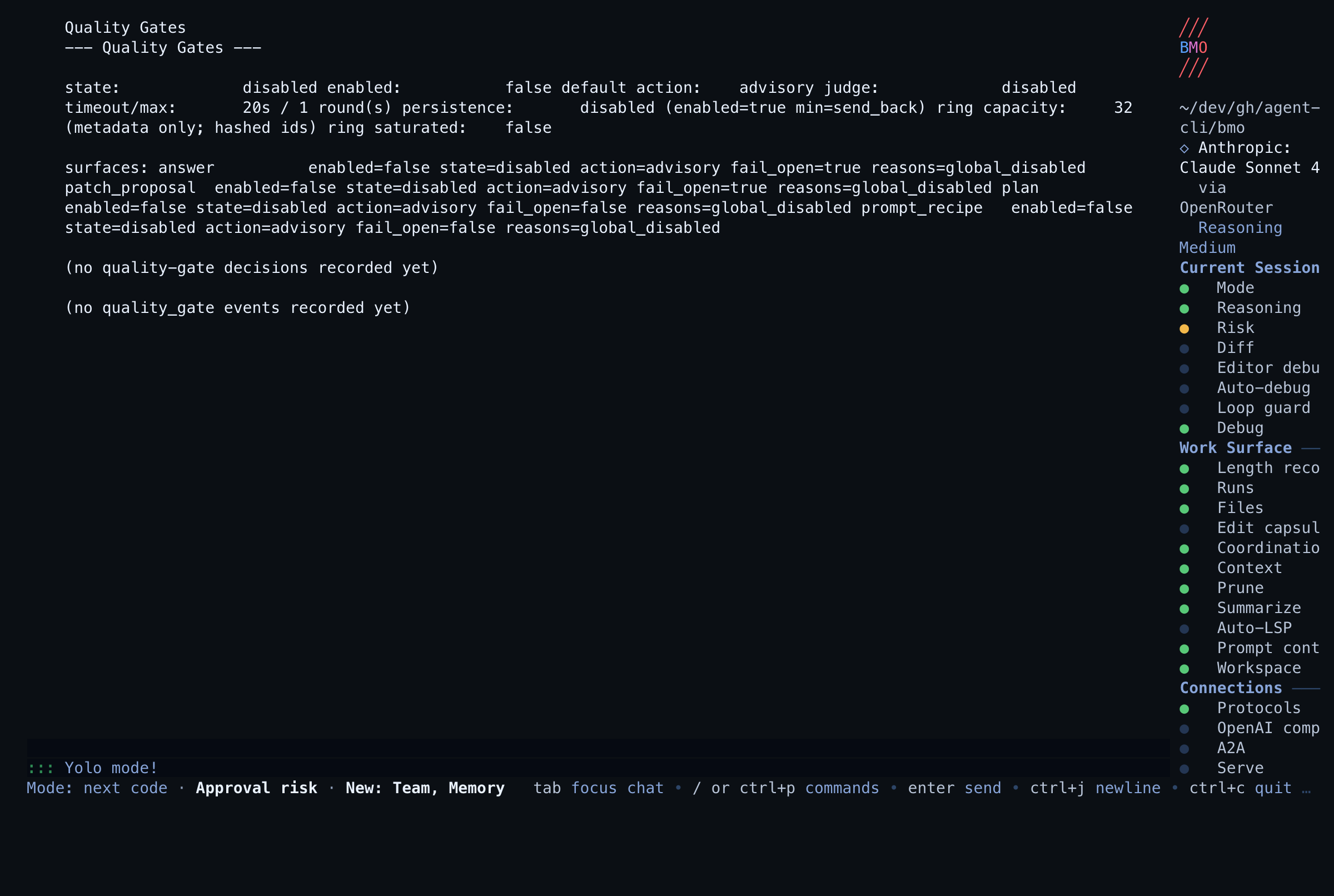
| Posture (TUI) | /quality-gates (alias /quality_gates) | Same shared renderer as CLI |
| Agent / MCP | quality_gates_posture, bmo_quality_gates_posture | Bounded JSON for automation |
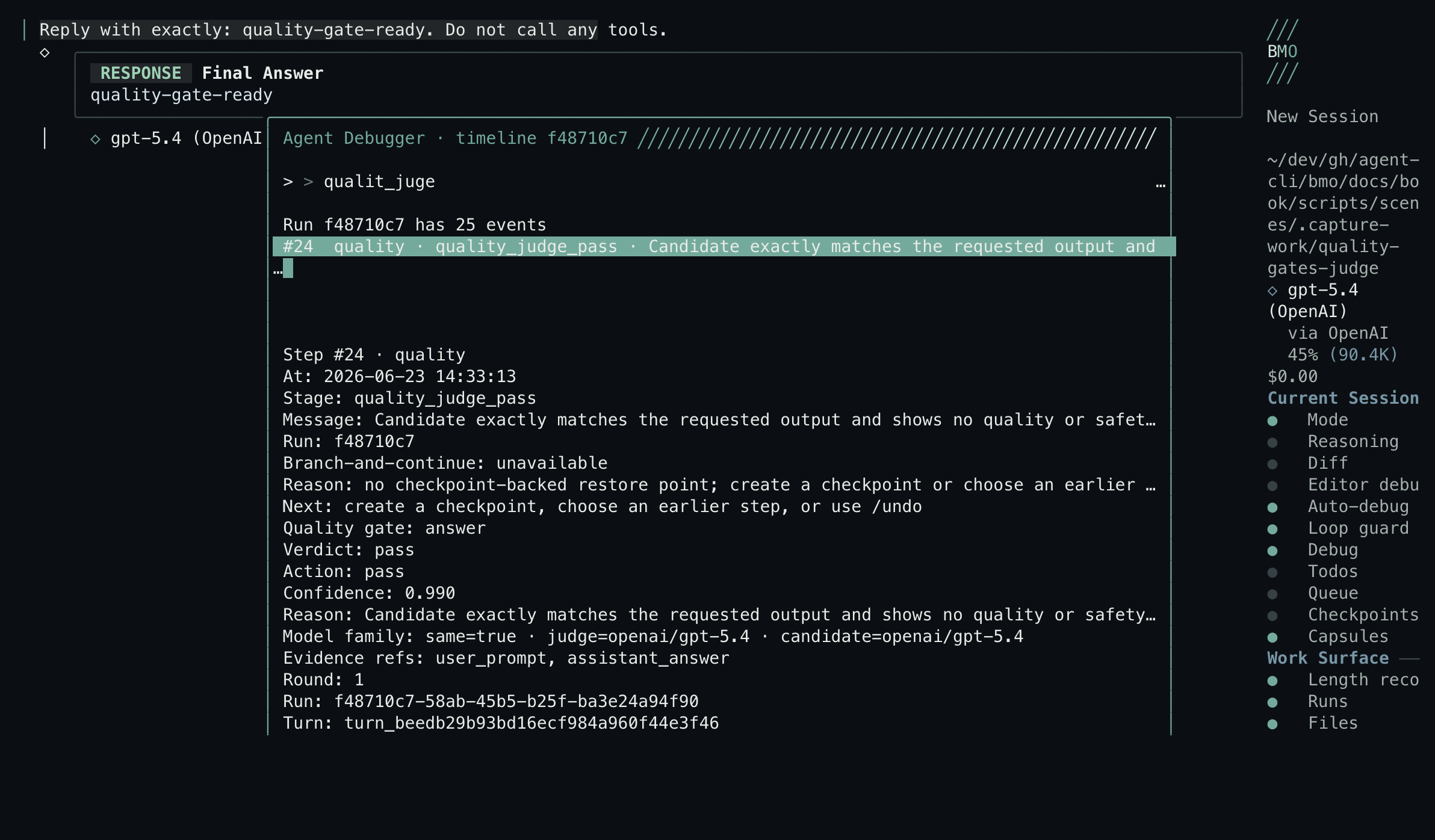
| Decision trail | /debugger → quality_judge_* events | Verdict, action, reason, rubric failures, evidence refs |
| Run ledger | GET /v1/agent-runs/{run_id}/events, list_agent_runs, get_agent_run_events | Same events outside the TUI |
| Manual rubric | bmo quality-gate check --path … [--surface plan|prompt_recipe] | Plan or recipe hardening without enabling runtime gates |
Trust boundary: posture and recent-decision readouts carry hashed session/run/proposal/finding prefixes only — never prompts, answers, diffs, plan bodies, recipe bodies, or provider secrets.
Related quality surfaces
Section titled “Related quality surfaces”- Conversation quality — lifecycle map; use step 3 of the infra regression walkthrough
- Prompt Stack — jump here when the surprise is input assembly, not draft quality
- Shadow Evals — jump here for
bmo eval compare+eval postureafter prompt changes; complementsprompt_recipemanual checks - Quality orchestration — separate server fanout path; does not replace post-draft gates
- Independent verification — a Quality Gate
pass,warn,send_back, orescalatedoes not ingest mutation aftercare, accept a Patch Proposal, or record a parent outcome. Aftercare and parent evidence stay on that page and on Change synthesis.
Deep dive
Section titled “Deep dive”What it does
Section titled “What it does”When enabled, the answer gate can return one of four verdicts:
| Verdict | Meaning |
|---|---|
pass | The draft meets the rubric. |
warn | The draft has an issue, but can still be shown. |
send_back | The draft should be revised before final output. |
escalate | The issue needs operator attention. |
The default posture is conservative. The feature is off unless configured, and advisory decisions do not block chat output. Armed send-back retries at most once.
Unavailable judge paths are shown as unavailable, not pass. Runtime policy
may fail open for answer and patch-proposal infrastructure failures, but the
posture and recent-decision ring keep that state visible.
Manual document checks
Section titled “Manual document checks”bmo quality-gate check --path docs/plans/example.mdbmo quality-gate check --surface prompt_recipe --path .bmo/recipes/example.yamlThe plan rubric checks acceptance criteria, source grounding, scope boundaries, system-wide impact, validation commands, and open questions.
The prompt/recipe rubric checks output contract, source ownership, tool availability assumptions, artifact destinations, instruction hardening, and a validation or review gate. This command is manual and opt-in; it does not install hooks or block ordinary edits.
prompt_recipe checks complement — but do not replace — deterministic
bmo eval run scenarios documented on Shadow Evals.
Runtime status
Section titled “Runtime status”The TUI stays quiet for normal pass/advisory outcomes. Runtime activity is shown only for judging in progress, armed send-back, or escalation.
Related
Section titled “Related”- Agent Debugger — inspect Quality Gate events.
- Patch Proposals — code-change proposals can use Quality Gate evidence as a review-readiness signal.
- TUI - phases vs runtime activity — how the compact status surface works.
- Configuration — generated config reference.
Implementation details: quality-gates.md.