
Journal posture
Journal posture is the fast health view for BMO’s Journal subsystem. It tells you whether the Journal read path is available, correctly partitioned, and recently healthy without loading or rendering a session’s narrative entries.
The Journal itself is a cross-subsystem dated narrative — derived on read from
runevents, workspace trail, scheduler history, and related telemetry. Posture
answers “can I read it safely right now?”; /journal and bmo journal export
answer “what happened in this session?”
When to use posture vs narrative
Section titled “When to use posture vs narrative”| You need… | Use |
|---|---|
| A quick health check before export or MCP read | Posture surfaces below |
| The dated story across subsystems for one session | /journal, bmo journal export, bmo_get_journal |
| Operator notes on a specific entry | /journal (a to annotate) or bmo journal annotate |
| Plan-contract drift after a parallel run | bmo journal export --filter=plans --session=<id> |
Posture and narrative share partition discipline but not the same payload: posture is metadata-only; narrative includes entry kinds, verbs, objects, and provenance.
Step 1 — Read posture in the TUI
Section titled “Step 1 — Read posture in the TUI”After at least one turn (so the recent ring has telemetry to report), run:
/journal-statusThe underscore alias also works:
/journal_status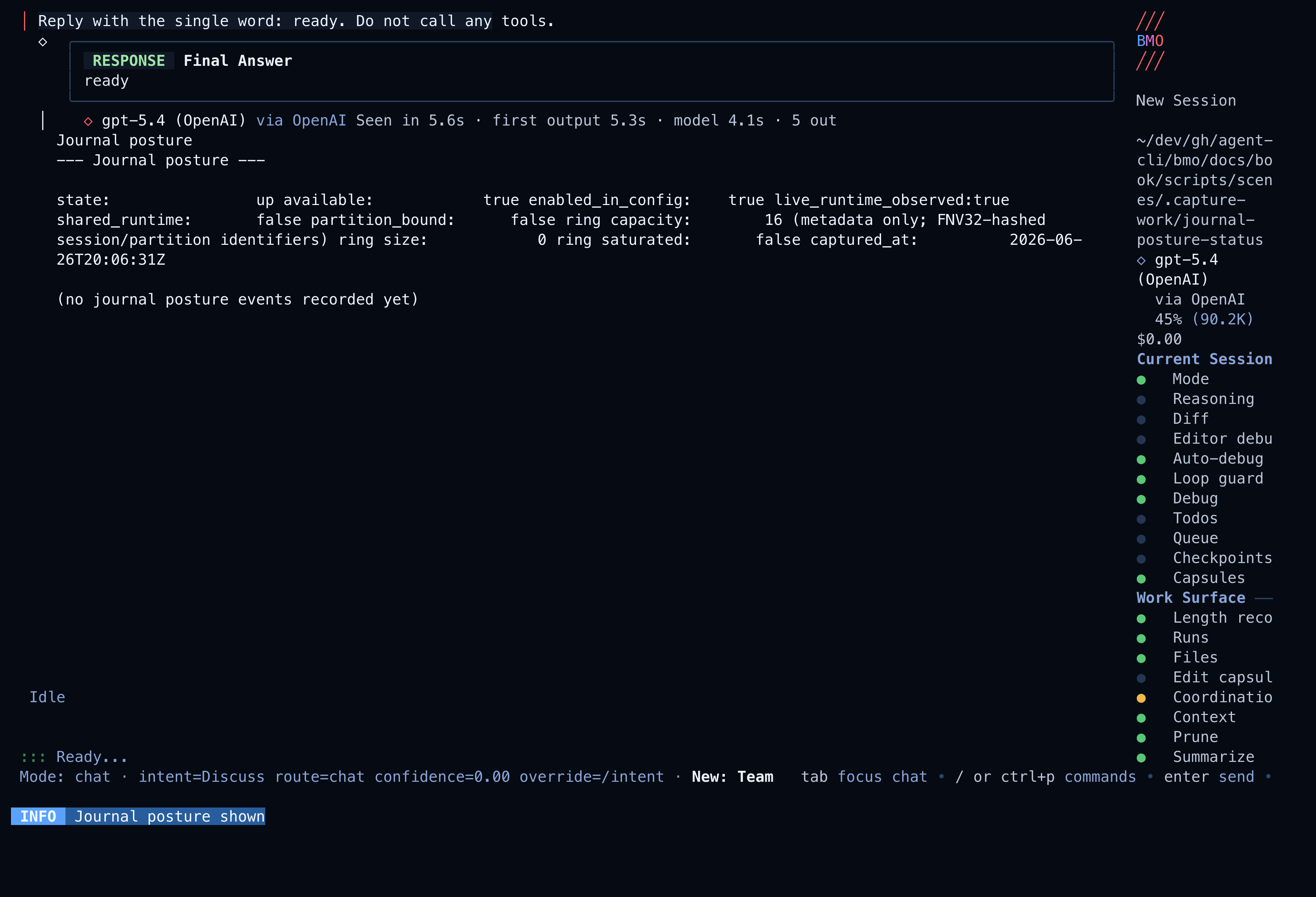
How to read the report:
| Block | Meaning |
|---|---|
state / available | Whether the in-process Journal read path is healthy (up) or blocked (degraded, disabled) |
shared_runtime / partition_bound | Shared-capable runtimes must be partition-bound before reads succeed |
partition_id_hash | FNV32-hashed partition prefix — never the raw partition id |
ring capacity / ring size / ring saturated | Process-local metadata ring bounds (capacity 16) |
outcomes (action × outcome × count) | Histogram of recent journal.fired / journal.action events |
captured_at | When this snapshot was taken |
IDs and bodies never appear here. Raw session ids, entry text, tool output, and annotation prose stay on the narrative and export paths.
Step 2 — Open the session narrative
Section titled “Step 2 — Open the session narrative”When posture is up, open the per-session lens:
/journalShort alias:
/j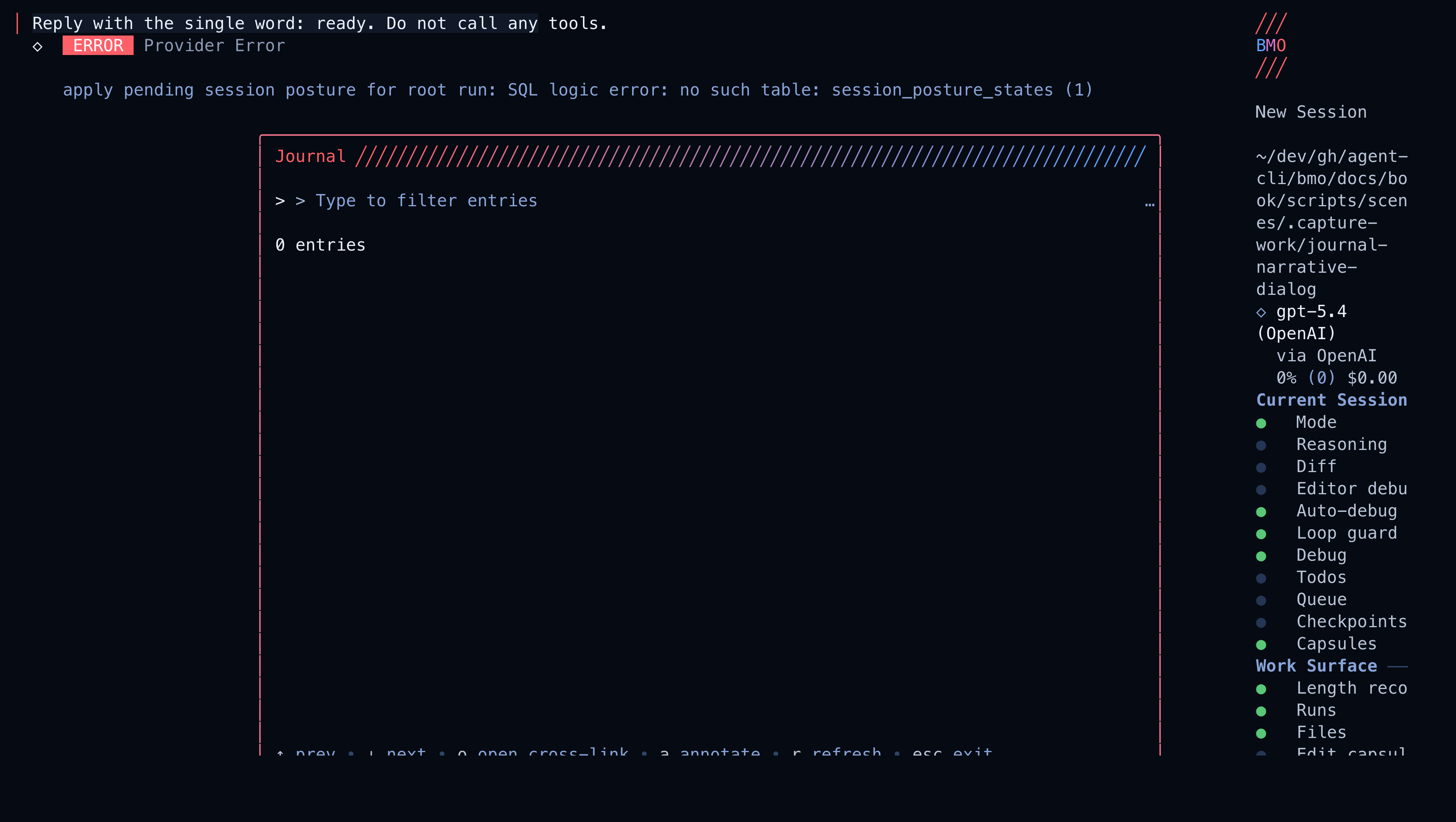
Operator moves inside the dialog:
| Key | Action |
|---|---|
r | Refresh from the underlying read layer |
o | Open the cross-linked surface for the focused entry (debugger, adaptive, workspace, …) |
a | Attach an operator annotation to the focused entry |
| Filter input | Narrow rows by kind, subsystem, verb, or object text |
Each row is tagged with an entry kind — Observation, Decision, Action,
Outcome, or Annotation — and carries mandatory provenance. Missing fields
render as honest literals (partition: n/a, contract: not attributed), not
back-filled guesses.
Headless and agent parity
Section titled “Headless and agent parity”Every posture surface reads the same journal.PostureSnapshot:
| Surface | Example |
|---|---|
| CLI (in-process when attached) | bmo config show-journal --format=json |
| TUI slash | /journal-status |
| HTTP | GET /v1/posture/journal |
| MCP | bmo_get_journal_posture |
Narrative parity is a separate family with the same session binding:
| Surface | Example |
|---|---|
| CLI export | bmo journal export --session=<id> --format=md |
| TUI dialog | /journal |
| HTTP | GET /v1/sessions/{id}/journal |
| MCP | bmo_get_journal |
Instructional examples
Section titled “Instructional examples”Support script — is Journal readable before paging export?
bmo config show-journal --format=json | jq -e '.available == true'bmo journal export --session="$SESSION" --format=json | jq '.entries | length'Incident triage — posture first, narrative second
- In the TUI, run
/journal-status. Ifstateisdegradedwithpartition_bound: false, fixoptions.mesh.partition_idbefore any export. - When
availableis true, run/journaland filter for[Outcome]rows tied to the failing run id (hashed prefixes in posture; full provenance in the dialog detail pane). - Cross-link (
o) into/debuggerfor the ordered event stream on that run.
Plan-contract drift review after a session
bmo journal export --filter=plans --session="$SESSION" --format=md --out /tmp/plans-journal.mdLook for plan_breach_refused, plan_breach_acknowledged, and
plan_budget_breach rows — the Journal surfaces enforcement as part of the
cross-subsystem story without replaying one run in isolation.
MCP agent — posture without narrative bodies
An attached agent can call bmo_get_journal_posture to learn partition binding
and recent ring health, then call bmo_get_journal only when entry rows are
required. Annotations remain operator-only; agents cannot write via MCP.
Operator annotation on a decision row
bmo journal annotate --session="$SESSION" --target=run_abc123:42 --note="Reviewed reshape; approved for staging"In the TUI, focus the row in /journal and press a for the same path.
What posture reports
Section titled “What posture reports”Every posture surface reads the same journal.PostureSnapshot, which includes:
stateandavailable- whether the runtime is shared-capable
- whether a mesh partition is bound
- the hashed partition identifier when present
- the recent
journal.fired/journal.actionring size, capacity, and saturation - an action × outcome histogram over recent Journal operations
- capture timestamps plus oldest/newest event timestamps when the ring is non-empty
The built-in posture builder currently emits:
| State | Meaning |
|---|---|
disabled | Journal-backed storage is not available in this runtime. |
up | Journal posture is available and, when needed, correctly partition-bound. |
degraded | The runtime is shared-capable but not partition-bound, so posture is surfaced as unavailable instead of risking cross-tenant reads. |
Detached CLI vs live runtime
Section titled “Detached CLI vs live runtime”bmo config show-journal run from a shell outside an attached BMO process
reports the same JSON envelope but may show state=unavailable /
live_runtime_observed=false because it cannot observe the in-process ring.
The TUI slash, HTTP route, and MCP tool are the live surfaces.
Use /journal-status when you are already in a session and need truth about
the running app. Use bmo config show-journal in scripts that only need config
and partition binding facts from the current invocation context.
Partition discipline
Section titled “Partition discipline”Journal posture exists partly to make the fail-closed partition rule obvious before an operator hits a session export path.
When BMO runs in a shared-capable runtime, options.mesh.partition_id must be
set. If the runtime is shared but not partition-bound:
statebecomesdegradedavailablebecomesfalse- the posture still reports ring and partition metadata so the operator can see why the Journal is unavailable
This matches the Journal topic’s broader rule that shared runtimes must not
serve cross-tenant Journal reads. bmo journal export and GET /v1/sessions/{id}/journal
fail closed with the same invariant.
Recent-event ring and redaction
Section titled “Recent-event ring and redaction”Journal posture includes a process-local recent-event ring with fixed capacity 16. Each record is metadata only:
- event kind (
journal.firedorjournal.action) - hashed session or partition identifiers
- scope and source labels
- bounded action, outcome, reason, result-count, and latency metadata
Raw session IDs, partition IDs, entry bodies, prompt text, and annotation text do not enter the posture surface.
Related
Section titled “Related”- Slash Commands
- CLI Commands
- Protocols
- Journal topic — full entry-kind taxonomy, voice discipline, and surface parity tests