
Configuration Reference
BMO prefers TOML. This reference covers config file locations, merge
precedence, and the common shape of BMO configuration. The generated
docs/config.reference.toml artifact contains the exhaustive field inventory.
Maturity: Reference surface. Use this page when you need durable configuration behavior, precedence, and editable-vs-config-only boundaries. For first-run setup, start with Authentication and Quickstart.
How to use this reference
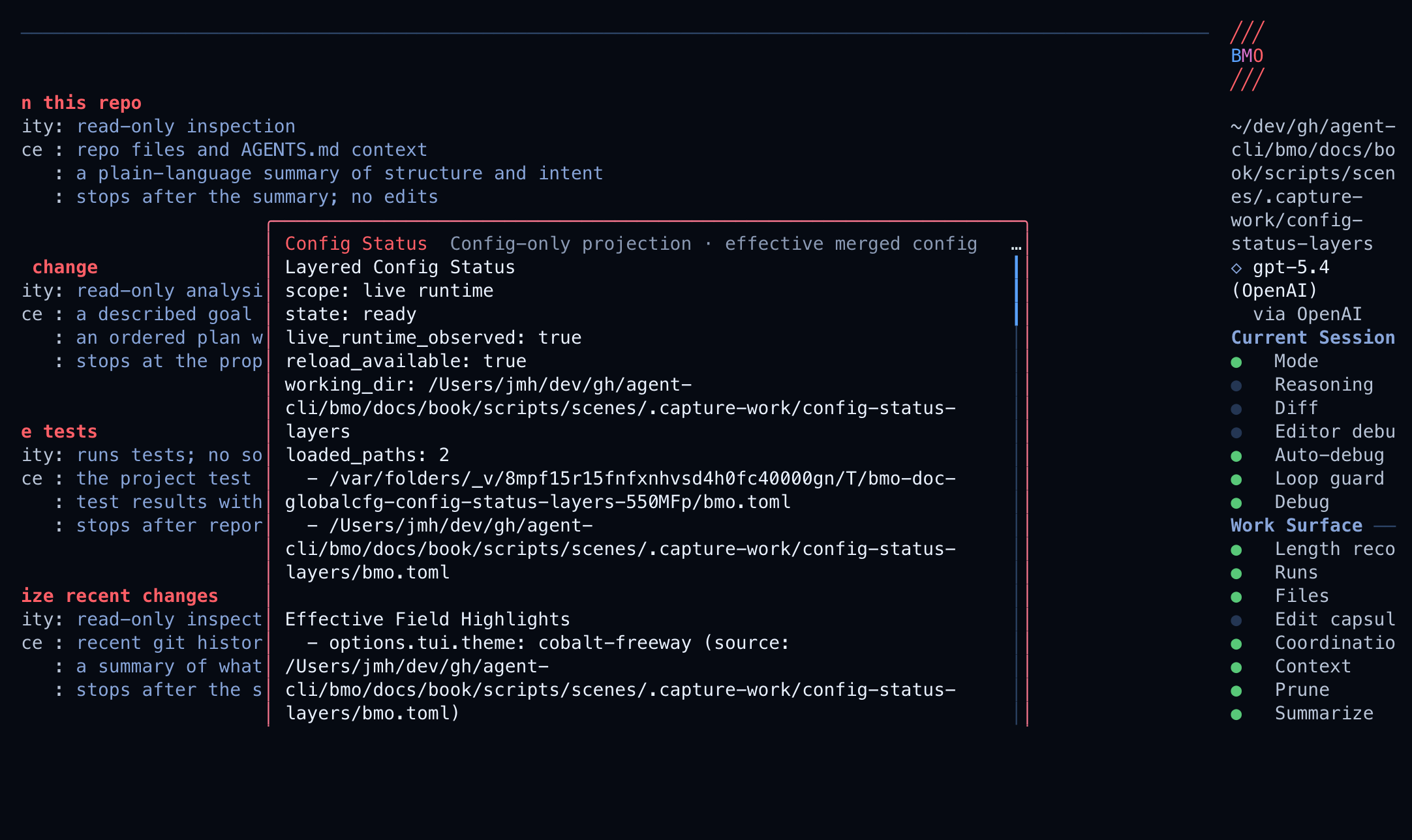
Section titled “How to use this reference”Start here when you need to change BMO behavior persistently. First identify the config layer you want to affect, then find the matching section and verify the merged result with the relevant CLI command or TUI setting. Use the generated config artifact only when this page does not list the exact field.
Canonical filenames
Section titled “Canonical filenames”- Global config:
~/.config/bmo/bmo.toml - Project-local overrides:
bmo.tomlor.bmo.toml - JSON fallback:
bmo.jsonor.bmo.jsonif you already have one, but new examples should use TOML
BMO_GLOBAL_CONFIG overrides the config directory. BMO_GLOBAL_DATA overrides
the runtime data directory for databases, logs, caches, and generated metadata;
BMO does not load bmo.toml from the data directory.
Merge precedence
Section titled “Merge precedence”BMO deep-merges config from lowest to highest precedence:
- Global config directory (
~/.config/bmo/bmo.tomlby default) - Project configs discovered from the nearest repository or Go module boundary down to the current working directory, with the closest file winning
Use bmo dirs, bmo dirs config, and bmo dirs data to confirm the active
directories on your machine.
Merge behavior by field shape
Section titled “Merge behavior by field shape”| Field shape | Behavior |
|---|---|
| Strings, enums, and other scalar values | Higher-precedence non-empty values replace lower-precedence values. |
| Presence-tracked booleans and compatibility aliases | Higher-precedence explicit values win, including explicit false. |
| Maps | Keys are merged; a higher-precedence layer can replace the value for one key without replacing the whole map. |
| Lists and arrays | A non-nil overlay slice replaces the inherited slice. Fields tagged merge:"concat" append. |
Presence-tracked numerics where 0 is meaningful | An explicit 0 in a higher-precedence file overrides an inherited nonzero value and reverts behavior to that field’s documented default or disabled state. |
The generated docs/config.reference.toml
comments tell you whether 0 means “use default”, “disable”, or “immediate”.
For implementation details on how presence tracking works in load and merge,
see config-merge-precedence.md.
Example: resetting an inherited numeric value
Section titled “Example: resetting an inherited numeric value”If a global config sets a limit and the project wants to go back to default
behavior, the project config can set that field to 0 explicitly:
[options]agent_max_depth = 2
[options.workspace_strategy_memory]enabled = trueretention_cap = 40[options]agent_max_depth = 0
[options.workspace_strategy_memory]retention_cap = 0In the merged config, agent_max_depth = 0 means “use the normal default
depth” and retention_cap = 0 means “use the normal default retention cap”
rather than inheriting 2 and 40.
TUI settings parity (editable vs config-only)
Section titled “TUI settings parity (editable vs config-only)”Open the settings dialog with /settings (alias /config). It intentionally
covers common runtime controls, not the full config surface.
Editable in TUI settings
- General:
permissions.skip_requests,options.sandbox_mode,options.tui.diff_mode,options.tui.compact_mode,options.thinking_display,options.progress,options.tui.run_progress_in_tui,options.tui.slash_opens_commands,options.tui.show_landing_hints,options.tui.transparent - Agent:
options.agent_backend,options.auto_debug.enabled,options.auto_debug.max_retries,options.reflection.enabled,options.format_on_save.enabled,options.staged_workflow.enabled,options.staged_workflow.require_approval_before_execute,options.pruning.enabled,options.agent_max_depth,options.agent_max_threads - Advanced:
telemetry_config.enable_metrics,options.enable_auto_summarize,options.auto_lsp,options.adaptive_orchestration.enabled,options.debug,options.debug_lsp,options.tui.completions.max_depth,options.tui.completions.max_items - Shown but not editable in dialog:
options.token_budget_ux.display,options.data_directory
options.tui.show_landing_hints is default-on; setting it to false hides
the initial landing guidance text and numbered quick-start choices, and removes
those hidden rows from click and digit-shortcut handling.
Config-only (not editable in Settings)
options.tui.runtime_activity_row— Default on (nil-guard in config); when true, shows the Activity strip above the chat for coarse in-flight work (tools, agents, PTY, scheduler, etc.). Distinct from the phase timeline in gloss /get_session_phases; see TUI — phases vs activity. Set to false to hide the strip. Legacy:[ui] runtime_activity_rowinbmo.tomlis still accepted; it applies only whenoptions.tui.runtime_activity_rowis unset in the merged config. If the canonical option is explicitly false, the strip stays off (legacy cannot override).options.tui.query_focus_events— Default on (nil-guard); when true, the TUI startup capability probe asks the terminal for focus-in/out reporting support. Set to false to skip the probe.options.tui.chat_max_content_width— caps user messages and most tool output to this many columns (minimum with the chat pane width). When omitted or set to0, uses the full chat pane width. Set a positive value (for example120) for a fixed column cap. Negative values fall back to 120.options.tui.theme— TUI color palette. Known themes:codex-graphite(default),bmo(BMO flagship styling),monokai,claude-aubergine,copilot-midnight,vscode-panel-dark,goose-light-contrast,ops-high-contrast-dark,gemini-material,trajectory-mono,gold-kawaii,SoM,neo-tokyo-signal,cobalt-freeway,poster-redline,matte-redline,blue-noise,tabloid-cyan,moonline-noir,tower-garnet,peach-drift,asphalt-rose,halftone-signal,chroma-collider,collider-noir,field-olive,noir-approval, andivalice. Unknown values fall back tocodex-graphitewith a load warning. Legacy[ui] themeis accepted whenoptions.tui.themeis unset.options.tui.approval_style— chrome for the permission/approval dialog.classic(default) is the compact frame.richrenders the decision-accented variant: the decision glyph and an inverse operation chip docked in the header, an aligned accented key/value block, the preview in an inset frame, the primary action filled with the accent, and the mnemonic help row docked beside the actions. Both styles state the same facts and offer the same actions (Allow/Allow for Session/Deny) with the same keys — only the presentation differs. The accent is the theme’s own decision accent, sorichworks under every theme rather than only the dark ones. Unknown values fall back toclassic. Legacy[ui] approval_styleis accepted whenoptions.tui.approval_styleis unset.options.workspace_observer— Default on (nil-guard); whenenabled, registersworkspace_snapshotand shows a short Observer: hint in the TUI status bar (see workspace-observer.md). Setenabled = falseto disable.options.compaction.reaction_gate— required when anyoptions.automation.rulesenqueue_jobaction setscompaction_idle_gate. This is the gate for one automation-engine trigger path into compaction: the coordinator runs idle + dedupe preflight (internal/compaction/compose) beforeRunNow. Recent evaluations appear in the TUI/compactioninspector, a short Compaction: line on the status bar when the latest check denied enqueue, and the Agent Debugger prompt trace segmentcompaction_reactions. Overview: Compaction (idle-gated). See 004-compaction-orchestration-seam.md (repository decision).options.summarization.*— session-compaction auto-summarize thresholds and the trigger override.options.summarization.enabledoverridesoptions.enable_auto_summarizewhen set. Threshold defaults:large_context_window_threshold = 200000,context_window_buffer = 20000, andcontext_window_ratio = 0.2. Overview: Session Compaction.options.compaction.streaming— completed-tool-round pressure thresholds for provider-turn admission, not the idle-gated background executor and not the foreground session compactor. Defaults:precompact_threshold = 0.7andprecompact_window = 20. Do not confuse this block withoptions.streaming_compaction, which carries same-named keys with different defaults, duration-string values, and a different consumer (the per-session foreground compactor); latency-budget and semantic timeout/enable settings live only there, and are retired underoptions.compaction.streaming— setting one there fails config load. Values never cross between the two blocks. Overview: Session Compaction.- Provider/model/auth definitions (
providers.*,models.*) - Adaptive orchestration internals beyond on/off:
options.adaptive_orchestration.default.*,options.adaptive_orchestration.classifier.*,options.adaptive_orchestration.monitor.*.options.adaptive_orchestration.classifier.typed_topology_enableddefaults to false and is rejected unlessclassifier.modeisllm. See Typed topology. - Integration and tooling surfaces such as
mcp.*,lsp.*, and broader per-agent/tool policy tables not listed above - Staged workflow plan-phase copy:
options.staged_workflow.plan_phase_prompt,plan_phase_prompt_path, optional project file.bmo/templates/staged_workflow_plan_phase.md, then the embedded default (see the contributor references in the implementation reference profile for the implementation-level precedence notes)
Apply timing semantics
Section titled “Apply timing semantics”Each setting row shows one of these apply notes:
- Applies immediately: takes effect right away in the current app process
- Restarts agent runtime when idle: reloads the coordinator; if an agent is busy, BMO asks you to retry when idle
- Applies on next app launch: value is saved now and used after restart
options.adaptive_orchestration.enabled is available in Settings → Advanced
as Adaptive orchestration and applies immediately for new runs.
Resource profiles and analysis caches
Section titled “Resource profiles and analysis caches”These config-only controls tune bounded task discovery, retained analysis
payloads and synthesis admission ceilings. They do not select a model, activate
discovery, increase tool permissions or change a declared verifier command.
The default resource profile is balanced.
[options.resource_profiles]profile = "economy" # economy | balanced | deep
[options.analysis_cache]enabled = truemax_entries = 4max_entry_bytes = 524288max_total_bytes = 2097152contract_evidence_enabled = falsecontract_evidence_max_entry_bytes = 16384
[options.task_discovery]max_inspected_files = 500max_file_bytes = 131072max_total_read_bytes = 8388608timeout_ms = 750max_candidates = 2source_window_lines = 48
[options.synthesis_resources]max_source_bytes = 4194304max_file_bytes = 262144max_candidates = 4max_checker_calls = 64max_validator_calls = 64max_output_bytes = 16384max_seconds = 300max_check_timeout_seconds = 30max_scenarios = 4max_checks = 8max_validators = 8
All numeric fields in these three resource blocks are optional. Zero inherits
the selected profile; it does not mean unlimited. Explicit field values override
the profile within their documented hard maxima. Omitted cache booleans inherit
the profile, while explicit false disables retention.
| Profile default | economy | balanced | deep |
|---|---|---|---|
| Discovery files | 500 | 3,000 | 6,000 |
| Discovery read bytes | 8 MiB | 1,500 MiB | 2 GiB |
| Discovery timeout | 750 ms | 2 seconds | 5 seconds |
| Analysis entries per history or contract memo | 4 | 16 | 16 |
| Estimated bytes per general analysis entry | 512 KiB | 4 MiB | 4 MiB |
| Shared estimated retained analysis bytes per run | 2 MiB | 33 MiB | 33 MiB |
| Contract-evidence retention | off | on | on |
| Synthesis candidate states, including unchanged | 4 | 32 | 32 |
| Synthesis total runtime ceiling | 300 seconds | 3,600 seconds | 3,600 seconds |
For one ordinary invocation, bmo run --resource-profile deep overrides the
configured profile without editing TOML. Explicit per-field settings still win.
This flag is unavailable with --recipe. The synthesis run, compose and
import-local commands also accept --resource-profile.
Analysis retention and apply timing
Section titled “Analysis retention and apply timing”A run captures cache, discovery and synthesis policy from the same configuration
snapshot at startup and starts with empty memo entries.
Concurrent runs have separate owners; configuration changes apply to new owners.
enabled = false disables retention across controller-verifier history,
pre-verification task windows, contract evidence and task-lead revalidation.
The same analysis is recomputed, and verifier, source and admission checks still
run. contract_evidence_enabled controls that one memo when general retention
is enabled.
max_entries is bounded by 16, max_entry_bytes by 4 MiB and
max_total_bytes by 33 MiB. The entry-byte setting cannot exceed the total-byte
setting. Each history memo also has a 16 MiB ceiling, and contract evidence has
a 1 MiB ceiling with at most 64 KiB per entry. Task-lead revalidation retains
one report within the shared allowance and still reads and hashes current source
files on a hit. Entries that are oversized or cannot fit the shared allowance are computed
without retention.
Byte accounting estimates retained payloads; it does not measure or cap process
heap, RSS or temporary allocations. Provider prompt caching has separate
configuration.
Synthesis admission and receipts
Section titled “Synthesis admission and receipts”Synthesis ceilings reject oversized requests before new work. They preserve the original declared limits, checks and exact verifier commands. The App checks again after preparation, and signed host admission includes independent parent checks and new amendments. Prepared or already admitted signed work retains its original limits when configuration changes. A ceiling never grants source, funding, mutation or publication authority.
Inspect effective policies without starting a model or checker:
bmo config show-resource-profiles --resource-profile economy --format=jsonbmo config show-analysis-cache --resource-profile economy --format=jsonbmo synthesize limits --resource-profile economydeep matches balanced for synthesis. A profile name does not raise the
hard maxima. Every [options.synthesis_resources] field is optional. Zero
inherits the selected profile. An explicit value replaces that one field and
must stay inside the hard maximum. It does not rewrite a specification’s
declared checks.
| Synthesis limit | economy | balanced (default) and deep | Hard maximum |
|---|---|---|---|
max_source_bytes | 4 MiB | 16 MiB | 16 MiB |
max_file_bytes | 256 KiB | 1 MiB | 1 MiB |
max_candidates, including unchanged | 4 | 32 | 32 |
max_checker_calls | 64 | 1,024 | 1,024 |
max_validator_calls | 64 | 1,024 | 1,024 |
max_output_bytes per checker | 16 KiB | 64 KiB | 64 KiB |
max_seconds | 300 | 3,600 | 3,600 |
max_check_timeout_seconds | 30 | 120 | 120 |
max_scenarios | 4 | 32 | 32 |
max_checks | 8 | 32 | 32 |
max_validators | 8 | 32 | 32 |
The ranking those ceilings bound is
Decision-guided software synthesis.
bmo synthesize limits prints the merged envelope as JSON, including
profile, profile_origin, budget_origin, limits, and sha256. It does
not open a workspace or create a proposal. --resource-profile on limits,
run, compose, and import-local previews or applies one invocation.
inspect does not take that flag.
Command meaning, selection, and the difference between this ceiling and a parent decision are on Change synthesis.
The cache inspection JSON includes the general policy under run_cache, along with
contract-evidence settings, origins and SHA-256 identities. Non-interactive run
summaries include resources.analysis_cache, optional resources.discovery and
provider usage when available. Run cache receipts retain general, contract-evidence and synthesis policy
identities and report hits, misses, evictions,
rejected insertions, retained entries, estimated bytes, elapsed time, checker
calls and shell calls. Discovery receipts include effective budget identity,
read counts and incomplete/truncated flags. The task completion and verification
fields remain the evidence for task outcomes.
Further details: resource profiles, analysis memo resources and synthesis ceilings.
Canonical TOML shapes
Section titled “Canonical TOML shapes”BMO config uses keyed tables for named things. Use [providers.<id>],
[mcp.<id>], [lsp.<id>], and [agents.<id>]; reserve [[...]] arrays for
repeating children such as a provider’s model list.
Minimal project config
Section titled “Minimal project config”Use this shape when a repository only needs a local data directory and one model provider:
[options]data_directory = ".bmo"disable_provider_auto_update = false
[providers.anthropic]type = "anthropic"api_key = "${ANTHROPIC_API_KEY}"
[[providers.anthropic.models]]id = "claude-sonnet-4-20250514"name = "Claude Sonnet 4"
Integration tables
Section titled “Integration tables”Use keyed integration tables for remote tools and local language servers:
[mcp.github]type = "http"url = "https://api.githubcopilot.com/mcp/"auth = "github_cli"
[lsp.go]command = "gopls"
For [mcp.<id>] and [extensions.<id>], keep <id> free of __. BMO
reserves that separator for dynamic MCP tool-name routing.
auth = "github_cli" resolves gh auth token and attaches it as an
Authorization bearer header for GitHub’s hosted MCP endpoint. Run
gh auth login first, or set BMO_MCP_BEARER_TOKEN_GITHUB to inject the token
without invoking gh.
Remote MCP servers that support OAuth can use BMO’s hosted Client ID Metadata Document by default:
[mcp.github]type = "http"url = "https://api.githubcopilot.com/mcp/"auth = "oauth"Build the binary with mcp_go_client_oauth for OAuth flows, for example
task build:mcp:oauth. The default client metadata URL is
https://www.ohbmo.com/oauth/bmo-mcp-client.json, with callback
URL http://127.0.0.1:46895/callback.
If a server does not advertise Client ID Metadata Document support or dynamic client registration, configure a preregistered host-app client instead:
[mcp.github]type = "http"url = "https://api.githubcopilot.com/mcp/"auth = "oauth"auth_client_id = "$BMO_GITHUB_MCP_CLIENT_ID"auth_client_secret = "$BMO_GITHUB_MCP_CLIENT_SECRET"auth_client_metadata_url can override the hosted metadata URL.
auth_client_secret uses normal config value resolution: $VAR, ${VAR}, and
$(command) are expanded. Keep secrets out of checked-in config.
Agent and tool policy tables
Section titled “Agent and tool policy tables”Agent-specific tools live under the agent table. Global tool policy lives under
permissions or options.disabled_tools.
[agents.coder]name = "Coder"model = "large"
[agents.coder.tools]allowed = ["view", "search", "bash"]
[agents.task.delegation]worktree_isolation = trueworktree_auto_remove = false
Common runtime options
Section titled “Common runtime options”These options are useful to operators and safe to read before the generated field inventory.
| Config surface | Default posture | Use it when | Disable or constrain with |
|---|---|---|---|
options.adaptive_orchestration | On after runtime initialization | You want BMO to classify and tune run behavior from session signals. | enabled = false; advanced fields live under default, classifier, and monitor. |
options.prompt_enhancer | On | You want prompt context enrichment before model calls. | enabled = false. |
options.codebase_context | On | You want metadata-only workspace snapshots for stale-aware prompt gating and bounded system appendages. | enabled = false; set inject_in_prompt = false to keep capture without appendage; see Codebase Context Snapshots. |
options.pruning | On | You want context trimming to protect long sessions. | enabled = false. |
options.auto_debug | On | You want bounded retry/debug loops after failures. | enabled = false or lower retry counts. |
options.format_on_save | Off | You want agent file mutations formatted before read snapshots and history are recorded. | Set enabled = true; configure rules for non-Go formatters. |
options.session_mode_autoselect | On | You want BMO to pick a fitting session mode automatically. | enabled = false. |
options.workspace_observer | On | You want workspace_snapshot, checkpoint hints, bounded git/path summaries, prompt workspace hints, and TUI observer status. | enabled = false; set include_in_prompt = false / include_resume_workspace_advisory_in_prompt = false for a slimmer prompt. |
options.workspace_trail | On | You want bounded cross-session trail rows and workspace_trail.changed session events for shared-workspace friction. | enabled = false; set partition_id for a stable shared scope, or omit it in local MCP mode to use BMO’s derived user/workspace partition. |
options.workspace_strategy_memory | On | You want BMO to reuse deterministic cross-session orchestration strategy signals in the same workspace. | enabled = false for strategy-cold sessions. |
options.health_followons | On | You want bounded follow-on signals when token pressure is detected. | enabled = false; enable spawn_agent only with explicit caps and allowlists. |
options.history.redact_secrets | On | You want message content scanned and one-way redacted before SQLite persistence. | Set redact_secrets = false only for controlled local debugging where raw history is acceptable. |
options.privacy | Off until configured | You need to suppress requester identity or redact selected requester fields from prompts/persistence. | Use suppress_requester_identity = true or redact_requester_fields = ["email"]. |
options.session_budget | Unlimited | You want per-session cumulative input/output token ceilings and warning telemetry. | Leave ceilings at 0 for unlimited, or set warn_at_percent lower for earlier warnings. |
Advanced automation and collaboration options
Section titled “Advanced automation and collaboration options”Keep these in config when you intentionally run background work, mesh calls, or stricter tool policy.
| Config surface | Purpose | Notes |
|---|---|---|
options.mesh | Enables the Agent mesh and capability-based invoke_a2a routing. | Configure enabled, registry_url, and allowed_capabilities. |
options.automation | Canonical structured automation engine. | Use jobs for cron-backed work and rules for event-driven typed actions. |
options.hooks.outcomes.* | Shell callback hooks. | This stays outside the structured automation engine. |
options.disabled_tools | Hides built-in tools globally. | Prefer this for global policy; use agent-local allow/deny lists for role-specific policy. |
options.mcp_client.tls.ca_bundle_path | Adds a PEM CA bundle for HTTP/SSE MCP clients. | Use for corporate TLS interception or private internal CAs; it is global to MCP client transports. |
options.change_contract_enabled | Runs change-contract preflight after the first file mutation in a run. | Defaults on; set false to disable. BMO_CHANGE_CONTRACT_ENABLED can override the environment. |
permissions.allowed_tools | Pre-approves permission prompts for named tools. | Keep the allowlist narrow. |
agents.<id>.tools.allowed / agents.<id>.tools.disabled | Shapes one agent’s tool set. | Omit allowed to inherit role defaults; allowed = [] denies all tools. Use disabled to remove named tools from the inherited set. |
Automation configuration
Section titled “Automation configuration”Use options.automation.jobs for cron-backed recipes and
options.automation.rules for event-driven typed actions. Removed public
surfaces such as options.reactions, options.activations, and
feature-specific managed schedule wrappers now fail config loading with
actionable migration errors instead of silently translating into automation.
Implementation references
Section titled “Implementation references”The user path above is intentionally short. Implementation details live in the maintainer references:
| Reference | When to read it |
|---|---|
| Workspace observer | Workspace snapshot JSON, prompt appendages, path probing, persistence status, and environment fields. |
| Automation reactions | Internal event dispatch semantics and the merge checklist for new automation events. |
| Activation graph | Internal activation routing and nested workflow behavior. |
| Scheduler | Cron-backed automation jobs and scheduler execution. |
| Health spawn monitor boundaries | Token-pressure follow-ons and guarded spawn-agent behavior. |
Compatibility aliases
Section titled “Compatibility aliases”BMO still normalizes several sectioned aliases into the canonical runtime fields. The main ones are:
[context][workflow][memory][ui][integrations][debug_config][telemetry_config][backends][teams_config][tools_config][permissions_config]
These remain supported for compatibility, but new configs and examples should
prefer canonical fields such as [options], [providers.<id>], [mcp.<id>],
[lsp.<id>], [agents.<id>], [permissions], and [options.automation].
For sectioned compatibility aliases that normalize list/map values into
canonical fields, an explicit empty value means clear the inherited effective
value. For example, [context] paths = [] clears inherited/default
options.context_paths; [context] skills_paths = [], [tools_config] disabled_tools = [], [workflow] build_budget_presets = [], and empty
[permissions_config] collections follow the same presence-aware rule.
Omitting the field preserves inherited values.
For prompt context features specifically, prefer [options.prompt_enhancer]
and [options.context_retriever]. The matching [context.*] tables still
normalize correctly, but they are compatibility aliases rather than the
preferred public surface.
For automation specifically, a top-level [automation] table is also accepted
as a compatibility alias and normalizes to [options.automation].
Custom Providers
Section titled “Custom Providers”Use provider IDs as map keys under [providers.<id>]:
[providers.local-openai]type = "openai-compat"base_url = "http://localhost:11434/v1"api_key = "dummy"Ollama is first-class as a local Anthropic-compatible coding-agent provider.
Install models with ollama pull ... before selecting them in BMO. For
Codex/Claude Code-style local coding use, prefer models with at least a 64k
context window. Discover installed Ollama models with:
bmo models discover ollamaDiscovery reads Ollama’s /v1/models endpoint and enriches rows with
best-effort /api/show metadata such as native context length when the daemon
exposes it.
[providers.ollama]type = "anthropic"base_url = "http://localhost:11434"
[[providers.ollama.models]]id = "qwen2.5-coder:1.5b"name = "Qwen2.5 Coder 1.5B via Ollama"context_window = 32768
[models.large]provider = "ollama"model = "qwen2.5-coder:1.5b"
OpenAI-compatible provider profiles can also target hosted gateways. Examples below are config-only support: model rows, provider routing headers, and deployment readiness remain operator-owned until provider-specific regression coverage proves first-class behavior.
[providers.nanogpt]type = "openai-compat"base_url = "https://nano-gpt.com/api/v1"api_key = "${NANOGPT_API_KEY}"
[providers.nanogpt.extra_headers]X-Provider = "novita"
[[providers.nanogpt.models]]id = "openai/gpt-5.2"name = "GPT-5.2 via NanoGPT"[providers.nim]type = "openai-compat"base_url = "https://integrate.api.nvidia.com/v1"api_key = "${NVIDIA_API_KEY}"
[[providers.nim.models]]id = "deepseek-ai/deepseek-v4-flash-0731"name = "DeepSeek V4 Flash"For self-hosted NIM, point base_url at the deployment’s /v1 endpoint and
list the models loaded by that deployment. Loopback or private deployments can
omit api_key when the endpoint does not require auth; use api_key = "dummy"
when a local OpenAI-compatible server expects a non-empty bearer value.
To inspect loaded NIM models and the readiness endpoint, run:
bmo models discover openai-compat --profile nimbmo models discover openai-compat --profile nim --base-url http://localhost:8000/v1 --api-key ""CLI and passthrough providers are also configured under [providers.<id>].
They run an external agent process, so BMO’s normal approval and sandbox rules
do not apply inside that child process.
MCP Server
Section titled “MCP Server”bmo service start mcp reads services.mcp from config:
[services.mcp]enabled = truetransport = "stdio"allowed_roots = ["."]
[services.mcp.http]identity_header = "X-Authenticated-User"trusted_proxies = ["127.0.0.1"]
Use transport = "http" only behind a trusted reverse proxy. In that mode,
services.mcp.http.identity_header and
services.mcp.http.trusted_proxies are required.
Gateway Service
Section titled “Gateway Service”bmo service start gateway reads services.gateway from config:
[services.gateway]enabled = truelisten = "127.0.0.1:8081"dm_scope = "per_channel_peer"
[services.gateway.slack]app_token = "${SLACK_APP_TOKEN}"bot_token = "${SLACK_BOT_TOKEN}"
Use dm_scope = "main", "per_peer", or "per_channel_peer" to control
how Slack direct messages map into BMO sessions. Leave listen empty to
disable the optional GET /health liveness endpoint.
Codebase context snapshots
Section titled “Codebase context snapshots”options.codebase_context gates metadata-only workspace snapshots for prompt
integrity. The feature is default-on; explicit enabled = false disables
snapshot walks during prompt preparation.
[options.codebase_context]enabled = trueinject_in_prompt = truestale_policy = "suppress_risky"min_refresh_interval_seconds = 30strict_on_child_spawn = false| Option | Default | Description |
|---|---|---|
enabled | true | Build and diff snapshots during prompt preparation |
inject_in_prompt | true | Include bounded codebase_context system appendage when capture exists |
stale_policy | suppress_risky | warn_only or suppress_risky stale handling for risky user-message injections |
min_refresh_interval_seconds | 30 | Throttle auxiliary walks (describe_context refresh); prompt prep still walks each user turn |
strict_on_child_spawn | false | Fail spawn_agent when snapshot is stale |
See Codebase Context Snapshots for
Activity-row messages, describe_context refresh, and cost notes.
Shadow evals
Section titled “Shadow evals”learning.shadow enables opt-in capture and replay of eligible real runs:
[learning.shadow]enabled = truecapture_top_level_runs = truesample_rate = 1.0retention_days = 30max_capture_bytes = 1048576
[[learning.shadow.variants]]name = "candidate-sonnet"model = "anthropic/claude-sonnet-4-20250514"prompt_prefix = "Prefer concise code-review style output."agent = "coder"| Option | Default | Description |
|---|---|---|
enabled | false | Turn on the shadow capture and replay worker |
capture_top_level_runs | true | Capture eligible top-level app runs for replay |
sample_rate | 1.0 | Fraction of eligible runs to capture |
retention_days | 30 | Retention window for artifacts, runs, and scorecards; worker purges older artifacts automatically |
max_capture_bytes | 1048576 | Maximum captured snapshot bytes per artifact |
allow_repos | (empty) | If set, only capture when working dir path matches one of these prefixes |
deny_repos | (empty) | If set, do not capture when working dir path matches any of these prefixes |
allow_sessions | (empty) | If set, only capture when session ID matches one of these (exact or prefix) |
deny_sessions | (empty) | If set, do not capture when session ID matches any of these |
allow_task_classes | (empty) | If set, only capture when task class is in this list (e.g. coding, review) |
deny_task_classes | (empty) | If set, do not capture when task class is in this list |
[[learning.shadow.variants]] | none | One replay candidate per table entry |
Capture scope: when an allow list is non-empty, the run must match it; when a deny list is non-empty, the run must not match. All applicable lists must pass. Artifacts and runs can be deleted manually via bmo eval shadow delete or the HTTP DELETE endpoints; bmo eval shadow purge --retention-days N triggers a one-off TTL purge.
When enabled = true and no variants are configured, BMO treats the setup as
capture-only: artifacts may be stored, but automatic replay queues no runs and
scorecards remain unavailable. bmo config check emits a warning for this
half-state; add at least one [[learning.shadow.variants]] entry before relying
on replay evidence.
Variant fields:
| Field | Description |
|---|---|
name | Stable variant name used in listings and exports |
model | Model override for the replay run |
prompt_prefix | Additional system prompt prefix for that variant |
agent | Optional agent override such as coder or task |
Shadow capture is fail-closed. If BMO cannot capture a replayable artifact with prompt trace, safe file snapshots, and an in-scope working directory, it stores the artifact as non-replayable and does not queue replay runs.
See Shadow Evals for behavior, CLI usage, API surfaces, and proposals and promoted assets (review, decide, promote, rollback).
Suggested edits ([options.suggested_edits])
Section titled “Suggested edits ([options.suggested_edits])”options.suggested_edits controls how the ripple-backed analyze_ripple_impact
flow (and the embedded suggested-edits path inside edit / multiedit)
handles the case where ripple analysis is unavailable — for example because no
LSP client is configured for the source file’s language.
[options.suggested_edits]mode = "advisory" # or "required"| Option | Type | Default | Values | Effect |
|---|---|---|---|---|
mode | string | "advisory" | advisory | required | When advisory, ripple-unavailable paths log ripple.action action="unavailable_advisory" at info and the agent still proceeds. When required, the same paths log unavailable_required at warn and the embedded suggested-edits flow surfaces a warning rather than silently dropping suggestions. |
The structure is intentionally narrow today — the only field is mode. Caps
(max_symbols_per_file, max_affected_files, max_rename_map_entries) and
the analyzer timeout are compile-time constants in internal/ripple/; their
effective values are surfaced via bmo config show-ripple and /ripple so
operators can verify the runtime posture without reading source.
See Ripple Edits for the four triggers, the
ripple.fired / ripple.action event schema, and the operator surfaces.
File primitives (view, edit, write, multiedit) emit file_tool.fired /
file_tool.action into a process-scoped ring; operators inspect them via
bmo config show-file-tools, /files, and list_recent_file_tool_events. See
File Tools Telemetry.
Arena (multi-model)
Section titled “Arena (multi-model)”Arena compares several models on the same prompt. Optional auto-select can accept a winner when a standalone round completes (disabled for active multi-step arena workflows).
[options.arena]enabled = true# auto_select_policy = "off" # off | first_passing | lowest_cost | lowest_latency | eval_shadow# auto_select_min_passing = 1| Option | Default | Description |
|---|---|---|
auto_select_policy | off | first_passing, lowest_cost, and lowest_latency use on-round metrics. eval_shadow ranks eligible candidates using shadow eval scorecards tied to the same session and arena user message (see Shadow Evals). |
auto_select_min_passing | 1 | Minimum acceptable candidates; for eval_shadow, at least this many must also have matching scorecards. |
Full arena behavior (verified mode, TUI keys, HTTP/MCP) lives in arena-verified.md.
Observation continuation after a convergence refusal
Section titled “Observation continuation after a convergence refusal”An enforced diagnostic-corridor run can opt in to a one-time observational continuation when its final provider-turn admission failure comes from the convergence-pressure regulator. The continuation stays in the same run and uses the selected model, transcript, and workspace. It receives at most eight additional provider turns by default; other resource and permission limits still apply. The transition is recorded before another provider turn starts.
[options.diagnostic_corridor]regulation = "enforced"
[options.diagnostic_corridor.observe_on_failure]enabled = truemax_continuation_turns = 8
The option is disabled by default and has no effect when regulation already
equals "observational". It does not turn provider outages, deadlines,
permission denials, or task-completion failures into eligible continuations.
The maximum is 100 turns; an explicitly configured zero is invalid.
The non-interactive JSON run summary keeps the triggering refusal and the
enforced and observational turn, token, and elapsed-time totals separate. A
task verified complete after the switch is labeled completed_after_fallback.
Exhaustive reference
Section titled “Exhaustive reference”docs/config.reference.tomlin the repo is the exhaustive generated TOML referenceschema.jsonis generated from the runtime config structsbmo config listshows curated config keys at runtime
For examples of specific subsystems, see:
- Authentication
- Tools Reference
- Arena multi-model (auto-select and
eval_shadow) - Shadow Evals
- MCP Client
- MCP Server